
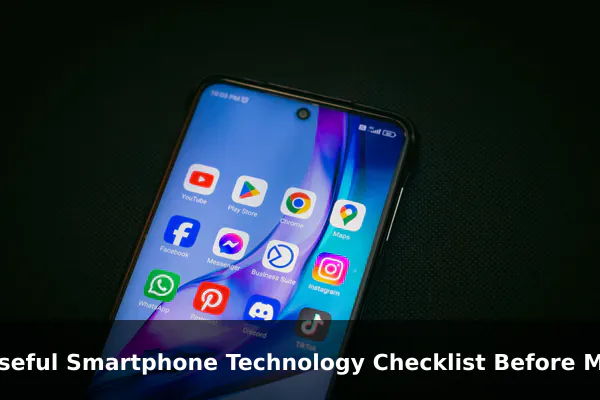
Choosing a new smartphone is rarely a simple shopping task. Between marketing claims, processor names, megapixel counts, and charging speed numbers, it is easy to feel overwhelmed long before you actually decide. A structured checklist makes the process calmer and more rational because it forces you to compare a device against your real needs, not against an advertisement.
The goal of this guide is to give you a practical, spec-aware framework you can run through before tapping the buy button. We will look at performance, display, cameras, battery, connectivity, durability, software support, safety, and ecosystem fit, and we will lean on official sources such as the Apple iPhone compare page, the Samsung Galaxy lineup, Google Pixel support documentation, FCC consumer guidance, and the USB Implementers Forum standards library whenever a claim needs anchoring.
Use the sections below as questions to ask yourself. By the time you reach the final pre-purchase checklist, you should be able to narrow the field of candidates to one or two phones that genuinely fit your life rather than the one with the loudest launch event.
Start With Your Primary Use Case
Before comparing any spec sheets, it helps to write down how you actually use a phone today and how that might evolve over the next two or three years. The same hardware can be excellent for one buyer and wasteful for another, depending on the workload.
Map Your Daily Activities
Think about your top five activities: messaging, navigation, photography, social media, light gaming, video calls, mobile payments, document editing, or media streaming. The combination matters more than any single feature. A traveler who relies on maps and a camera has different priorities than a remote worker who lives inside video calls and spreadsheets.
Project Your Future Needs
Phones are often kept longer than expected. If you plan to keep yours for four or more years, give extra weight to update policy, repairability, and storage. If you upgrade frequently, current-year flagship features become more reasonable. Either way, write down your intended ownership window before reading any reviews.
Set a Realistic Budget Range
Establish a comfortable price ceiling and a stretch ceiling. Decide in advance which features are worth the extra cost, such as telephoto zoom, larger storage, or a faster chip. This keeps you from being pushed into upsells at checkout.
Check Performance, Storage, and Longevity
Performance does not just mean benchmark scores. It means whether your phone will still feel responsive after several major operating system updates. The chipset, memory, and storage choice together determine that experience.
Processor and Memory
Look up the official chipset and, where disclosed, the memory configuration on the manufacturer’s spec page. Apple lists the Bionic chip per model on its iPhone comparison page, Samsung lists processor families per Galaxy device, and Google publishes Tensor details on its Pixel hardware tech specs page. Newer generations typically include stronger neural processing units that power on-device AI features such as photo cleanup, transcription, and live translation.
Storage Capacity and Type
Storage shapes daily comfort. The base option often looks affordable but can fill quickly once apps, photos, and offline media accumulate. Some phones use faster storage classes than others, which affects app launch times and large file transfers. Choose a tier that gives you headroom for several years rather than the cheapest one available.
Headroom for Future Software
Software updates tend to grow heavier over time. If a model is already near the bottom of its lineup in chip performance, it may feel slow earlier in its lifespan. Reading multiple independent reviews of older devices on the same chip family can reveal how gracefully it ages.
Evaluate Display Quality Beyond Screen Size
Screen size in inches is the headline number, but the panel behind it determines how comfortable the phone is to use every day. Compare official spec pages rather than promotional descriptions.
Panel Type and Resolution
Most modern smartphones use OLED panels, which deliver deeper blacks and richer contrast than LCD. However, budget tiers may still ship with LCD screens. Resolution affects text sharpness, especially for readers and frequent web browsers. Check the manufacturer’s listed pixel density and panel technology directly.
Refresh Rate and Brightness
A higher refresh rate, typically 90 Hz or 120 Hz, makes scrolling and animations feel smoother but can affect battery life. Peak brightness numbers are useful for outdoor visibility, though manufacturers often quote different conditions, so treat exact nits figures cautiously and look at hands-on tests for outdoor performance.
Eye Comfort and Durability Claims
If you are sensitive to flicker, search the spec page or detailed reviews for information about PWM dimming behavior. For durability, manufacturers usually list the protective glass generation. Treat these as relative indicators rather than guarantees against drops.
Compare Camera Hardware and Video Features Carefully
Megapixels alone do not define camera quality. Sensor size, lens combinations, stabilization, and computational pipelines together determine the result. Use official camera spec sections to verify what is actually included.
Lens Configuration
Check whether the phone has a true ultrawide and a dedicated telephoto lens, or whether secondary cameras are limited to depth and macro helpers. Optical zoom ranges vary widely. A 2x sensor crop is not the same as a dedicated optical telephoto lens, and most manufacturers now describe these clearly in their comparison tools.
Stabilization and Low Light
Optical image stabilization on the main sensor and, where available, the telephoto, makes a noticeable difference in low light and for handheld video. Night modes vary in quality, so look at independent samples taken in environments similar to yours.
Video and Creator Features
If you record video, confirm the maximum resolution and frame rate per lens, whether log video profiles or external recording are supported, and whether stereo or spatial audio capture is offered. Some phones limit advanced features such as ProRes or 8K recording to specific storage tiers.
Review Battery Life and Charging Standards
Battery numbers can be confusing because manufacturers describe them differently. The most useful approach is to combine official statements with independent endurance testing.
Battery Estimates and Real Use
Apple, Samsung, and Google publish playback or talk-time estimates. These are useful for relative comparisons within a brand, but your real usage will vary based on signal strength, brightness, refresh rate, and on-device AI workloads. Treat the official figures as a ceiling, not a guarantee.
Wired Charging and USB Power Delivery
Modern phones generally use USB-C, but charging speeds depend on the protocol both the phone and the charger support. The USB Implementers Forum, the body that publishes the USB specifications, defines USB Power Delivery and the more recent PPS extension that many fast-charging phones rely on. Before buying, check whether your existing charger supports the right protocol, or budget for a compatible one.
Wireless and Reverse Charging
If you already own wireless chargers, verify that the new phone supports the standard you use. Some devices also offer reverse wireless charging for earbuds or small accessories, which can be a nice convenience but is rarely a deciding factor.
Confirm Connectivity and Network Support
A phone that works perfectly in one country may not perform the same way on another carrier. Connectivity details are easy to overlook but expensive to fix later.
5G Bands and Carrier Compatibility
Check the supported 5G bands listed on the official spec page against the bands your carrier uses in your region. The same model name can ship with different modem configurations in different markets, so always look at the regional version you will actually buy.
Wi-Fi, Bluetooth, and NFC
Look for the latest Wi-Fi generation if you have a compatible router and the Bluetooth version if you use modern earbuds. NFC support matters if you rely on tap-to-pay or transit cards. These details are usually listed in compact form near the bottom of the manufacturer’s spec table.
SIM Options and Emergency Features
Many newer phones support eSIM, sometimes alongside a physical SIM and sometimes exclusively. If you travel internationally, eSIM flexibility can be valuable. Some flagship models also include satellite-based emergency messaging in supported regions, but coverage and pricing details should be verified on the manufacturer’s website before relying on them.
Look at Build Quality, Repairability, and Durability
The phones that age best tend to be the ones built to be opened and serviced. Materials and ratings give you a starting picture, but repair ecosystem matters just as much.
Water and Dust Ratings
IP ratings appear on most flagship spec sheets. These describe lab-tested resistance to dust and water under specific conditions and do not promise immunity to accidents. Manufacturers usually clarify that liquid damage is not covered under warranty even on IP-rated devices.
Repair Options and Parts
Consider whether the manufacturer offers self-service repair programs, whether independent shops can source genuine parts, and how easily the battery can be replaced. A phone with a strong repair pipeline can comfortably stay in service for longer, lowering its true cost over time.
Warranty and Protection Plans
Read the standard warranty terms before purchase, including duration, what counts as accidental damage, and whether extended protection plans are worth the price. These details vary by country and retailer.
Assess Software Support and Security Updates
The single most underappreciated factor in long-term smartphone value is the update policy. A great phone that loses support after two years often ends up replaced sooner than a modest phone with seven years of updates.
OS Upgrades and Security Patches
Look up the manufacturer’s stated commitment for major OS upgrades and monthly or quarterly security patches. Some manufacturers list this clearly on each device page; others publish a separate support policy page. Confirm that your specific model is included in the policy.
Built-In Privacy Controls
Check whether the phone provides clear permission dashboards, microphone and camera indicators, on-device intelligence for sensitive data, and support for passkeys. These features are increasingly standard but vary in depth between platforms.
Bloatware and Customization
Carrier-locked or region-specific variants sometimes ship with preinstalled apps you cannot remove easily. If a clean software experience matters to you, check reviews of the exact variant you plan to buy.
Consider Safety, Compliance, and Everyday Comfort
Safety and comfort often come down to how the phone feels in your hand and pocket and how it complies with local regulations. Both deserve a few minutes of attention.
SAR and RF Exposure Information
Regulators publish guidance on radio frequency exposure from mobile devices. The U.S. Federal Communications Commission offers a consumer guide on the Specific Absorption Rate, which explains how SAR is measured and what it means in everyday use. The FCC notes that all phones sold in the United States must meet established exposure limits. Treat SAR values as a regulatory compliance figure rather than a ranking of safety, and consult the FCC guidance for current details.
Ergonomics and Accessibility
Weight, thickness, and curvature affect how comfortable a phone is during long sessions. If possible, hold the device in a store before deciding. Also review accessibility features such as display zoom, hearing aid compatibility, and assistive touch options if you or family members rely on them.
Biometrics and Parental Controls
Decide whether you prefer face unlock, fingerprint sensors, or both. For family devices, look at the parental controls, content filtering, and screen-time tools offered by the platform.
Match the Phone to Your Existing Ecosystem
A phone that fits your other devices can save real time and money. A phone that fights them creates daily friction.
Computers, Watches, and Earbuds
If you already own a laptop, watch, or earbuds, verify how the phone integrates with them. Features such as universal clipboard, call handoff, automatic earbud switching, and watch pairing tend to work most smoothly within a single ecosystem.
Cloud Storage and Messaging
Photo libraries, document storage, and messaging history are often the hardest things to migrate. Check how easily your preferred services run on the new platform and whether end-to-end encrypted backups are supported.
Smart Home and Car Integration
If you use smart home devices, confirm that the phone supports the relevant standards. For cars, check whether wireless smartphone projection is available and whether digital car keys are supported on your vehicle.
Use a Final Pre-Purchase Checklist
Before placing an order, run through this short verification list. It only takes a few minutes and catches most regrets.
- Official specs verified: chipset, memory, storage, display, camera, and battery confirmed on the manufacturer’s page for your exact regional model.
- Carrier and band support confirmed: 5G bands, VoLTE/VoNR, and eSIM compatibility checked with your carrier.
- Update policy reviewed: stated OS upgrade years and security patch commitments documented.
- Charging plan clear: USB Power Delivery or PPS support confirmed, with a compatible charger and cable identified.
- Durability expectations set: IP rating, glass generation, and repair options understood.
- Return window known: retailer return policy, restocking fees, and trial period noted in writing.
- Total cost calculated: phone price plus storage upgrade, case, screen protection, and any required accessories.
If every item on this list has a clear answer, you can buy with confidence. If even one item still feels uncertain, it is worth pausing to research before committing.
Conclusion
A useful smartphone checklist is less about finding the most powerful device on the market and more about finding the device that solves your particular problems for the years you expect to own it. By starting with your use case, anchoring claims to official sources such as the Apple, Samsung, Google, FCC, and USB-IF references, and walking through performance, display, camera, battery, connectivity, durability, software, safety, and ecosystem questions, you turn an emotional purchase into a deliberate one.
Treat marketing language as a starting point, not a conclusion. Verify the specs that matter on the manufacturer’s own pages, confirm carrier compatibility, and budget for accessories and protection. With this checklist in hand, your next smartphone decision should feel calmer, clearer, and far less likely to disappoint after the unboxing excitement fades.
Official references
- Apple iPhone Compare – Primary source for current iPhone model comparisons, technical specs, camera, display, battery, connectivity, and durability claims.
- Samsung Galaxy Smartphones – Official Samsung source for Galaxy phone model pages, specs, availability, and comparison tools.
- Google Pixel Phone Hardware Tech Specs – Official Google reference for Pixel hardware specifications across models, useful for checking display, battery, camera, processor, and connectivity details.
- FCC SAR for Cell Phones Consumer Guide – Primary U.S. regulator guidance for SAR and RF exposure context when discussing smartphone safety and compliance claims.
- USB-IF Document Library – Official USB standards source for USB-C, USB Power Delivery, USB4, and compliance documents relevant to charging and wired connectivity claims.
