
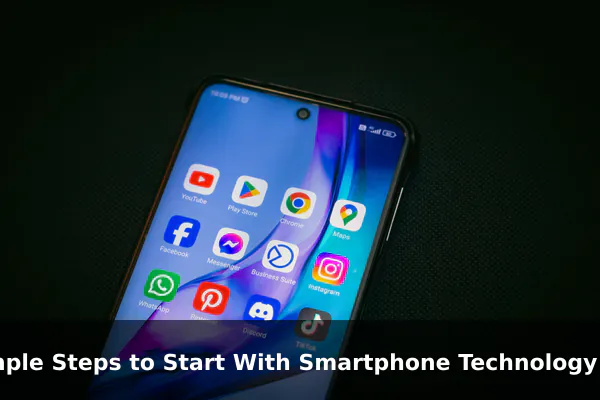
Getting started with smartphone technology does not have to feel overwhelming. Whether you are picking up your first device or returning after years on a basic phone, the decisions you make in the first few days shape how comfortable and confident you will be going forward.
This guide walks you through the most practical steps in plain language — no jargon, no assumptions — just clear advice that helps you use your phone safely and effectively from the very beginning.
Understand What a Smartphone Can Do for You
Before diving into settings and apps, it helps to see the full picture of what a modern smartphone actually offers. At its core, a smartphone is several tools combined into one device.
- Communication: calls, texts, video calls, and messaging apps
- Navigation: real-time maps and turn-by-turn directions
- Camera: photo and video capture that replaces a dedicated camera for most people
- Productivity: email, calendar, notes, and document editing on the go
- Entertainment: streaming video, music, podcasts, and games
- Banking and payments: checking balances and paying in stores without a physical wallet
- Health tracking: step counting, sleep monitoring, and basic fitness logging
Understanding this range helps you set realistic expectations and decide which features matter most in your daily life.
Choose the Basics Before You Dive In
If you have not yet purchased a device, a few key choices make a significant difference in the experience you end up with.
Operating System
The two main options are Android and iOS (iPhone). Android offers more device variety and pricing flexibility. iOS is known for a consistent, streamlined experience and long software support. Either platform works well for beginners — choose based on which ecosystem your contacts already use or which feels more intuitive when you handle it in person.
Storage and Battery Life
Start with at least 128 GB of internal storage so you have comfortable room for photos, apps, and downloads. For battery life, look for a phone rated at 4,500 mAh or higher if you plan to use it heavily throughout the day.
Budget
Mid-range phones in the $200–$400 range now offer more than enough performance for most beginners. Spending more does not automatically mean a better experience if your core needs are communication, browsing, and photography.
Set Up Your Phone the Smart Way
First-time setup only takes about ten minutes if you work through it in the right order. Rushing through setup or skipping steps often leads to problems that are harder to fix later.
- Select your language and region.
- Connect to your home Wi-Fi network before doing anything else — this keeps you off mobile data during large downloads and updates.
- Sign in to or create a Google account (Android) or Apple ID (iPhone).
- Enable automatic backups immediately, either to Google Photos, iCloud, or both.
- Run all available software updates before installing any third-party apps.
- Import contacts from your old phone or SIM card.
Taking these steps in sequence ensures your data is protected and your device is current before you begin customizing it.
Protect Your Device and Personal Data
Security is not complicated, but skipping it early creates vulnerabilities that are difficult to address later. A few simple steps cover most of the risk.
Screen Lock and Biometrics
Set a strong PIN of at least six digits and enable fingerprint or face unlock for daily convenience. Avoid visual patterns that leave visible smudges on the screen or codes that are easy for someone watching to memorize.
App Permissions
When an app requests access to your location, microphone, or contacts, pause before approving. Only grant permissions that align with what the app actually does. A flashlight app has no reason to access your location. You can review and revoke any permission at any time in your phone’s settings under Privacy or App Permissions.
Software Updates and Phishing
Updates patch security vulnerabilities that attackers actively exploit. Enable automatic updates or check manually once a week. Also stay cautious with unexpected links in messages — legitimate banks and services never ask for passwords or PINs via SMS or email.
Install Only the Apps You Actually Need
One of the most common beginner mistakes is installing dozens of apps in the first week. A short, purposeful starting list is easier to manage and keeps your phone running faster.
- Messaging: WhatsApp or the default SMS app
- Maps: Google Maps or Apple Maps
- Email: Gmail or the built-in mail app
- Browser: Chrome, Safari, or Firefox
- Banking: your bank’s official app, downloaded only from the official store
- Notes: Google Keep or Apple Notes
Add new apps only when you have a specific reason. Each app you install is another item to manage, update, and keep secure.
Learn the Everyday Features That Save Time
Several built-in features are overlooked by beginners but save real time once discovered.
Voice Typing
Instead of typing long messages, tap the microphone icon on your keyboard and speak. Most smartphones transcribe speech accurately in real time and it is significantly faster than typing for longer replies.
QR Code Scanning
Open your camera app and point it at any QR code — no separate scanner app is needed. This works for restaurant menus, Wi-Fi passwords shared by friends, and quick website links.
Notification Management
Go to Settings and then Notifications, and disable alerts from apps that are not time-sensitive. Fewer interruptions make the phone feel calmer and far easier to manage throughout the day.
Keep Storage, Battery, and Performance Under Control
A few simple habits prevent the slowdowns and clutter that frustrate most new users after several months of ownership.
- Delete apps you have not opened in the past month.
- Review your photo library monthly and remove duplicates or blurry shots.
- Lower screen brightness to around 50–60 percent when indoors — screen brightness is one of the largest battery drains.
- Turn off Wi-Fi, Bluetooth, and GPS when you are not actively using them.
- Restart your phone once a week to clear background processes and free up memory.
Build Good Smartphone Habits From the Start
The most sustainable way to enjoy smartphone technology long term is to build habits that keep you in control of the device rather than the other way around.
- Set screen-time limits on social or entertainment apps if you notice time slipping away without intention.
- Use trusted Wi-Fi networks at home and avoid entering sensitive passwords on public hotspots without a VPN.
- Back up weekly or enable automatic backups so a lost or damaged phone does not mean lost photos and data.
- Charge responsibly — try not to let the battery drop below 20 percent regularly, and avoid overnight charging to 100 percent as a daily habit.
Starting with the right foundation makes smartphone technology genuinely useful rather than stressful. The steps in this guide are not difficult — they simply need to be completed once and then maintained as light, ongoing habits. With the right setup from day one, your phone becomes a reliable tool that supports your daily life without demanding constant attention or technical expertise to keep running well.
