
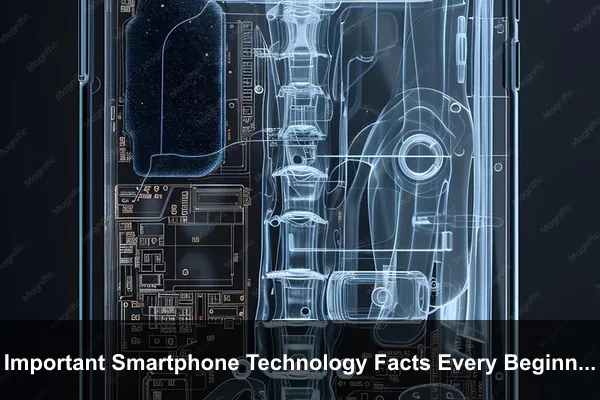
Smartphones are easy to use on the surface, but the technology inside them is more layered than many beginners expect. A modern phone is not just a screen with apps. It is a compact computer, camera system, radio device, payment terminal, navigation tool, sensor hub, and personal data vault working together in real time.
Understanding a few important smartphone technology facts helps you make better decisions without getting lost in confusing specifications. You do not need to become an engineer to understand why some phones feel faster, why software matters as much as hardware, why connectivity can vary by location, or why storage, memory, sensors, and operating systems affect everyday use.
This guide focuses on the beginner-level technology principles behind smartphones. It avoids deep dives into narrow topics and instead explains the core facts that help you read phone specs, understand common terms, and use your device with more confidence.
A Smartphone Is a Complete Computer, Not Just a Calling Device
The most important beginner fact is simple: a smartphone is a full computing system. It has a processor, memory, storage, graphics hardware, wireless radios, sensors, cameras, speakers, microphones, and an operating system. Calls and messages are only a small part of what the device is designed to do.
When you open an app, take a photo, unlock the phone, stream a video, or receive a notification, multiple components work together. The processor runs instructions, memory holds active tasks, storage saves files, the modem communicates with networks, and the operating system coordinates everything behind the scenes.
The Main Parts Work as a Team
Beginners often judge a phone by one specification, such as processor name, megapixels, or storage size. In reality, smartphone performance depends on how well the full system is balanced. A powerful chip can still feel limited if software is poorly optimized. A high-resolution camera sensor can produce average photos if image processing is weak. A large battery can drain quickly if the display and apps are inefficient.
The main technology layers include:
- Processor: Handles calculations, app logic, graphics tasks, image processing, and system operations.
- Memory: Keeps active apps and system processes ready for quick access.
- Storage: Saves apps, photos, videos, downloads, cached data, and operating system files.
- Display: Shows the interface and affects readability, touch response, power use, and media quality.
- Modem and antennas: Connect the phone to cellular, Wi-Fi, Bluetooth, GPS, and other wireless systems.
- Sensors: Detect motion, orientation, light, proximity, location, and other environmental signals.
- Operating system: Manages hardware, apps, security, updates, notifications, and user controls.
The best smartphone experience usually comes from strong coordination between these parts, not from a single headline feature.
The Processor Is More Than a Speed Number
The processor, often called the chipset or system-on-chip, is the central technology package inside a smartphone. It contains several specialized parts, including CPU cores, a graphics processor, image signal processing, machine learning acceleration, security hardware, and communication-related components.
For beginners, it is helpful to understand that smartphone processors are designed for efficiency as much as speed. Phones are small, battery-powered devices with limited cooling space. A good mobile processor must deliver strong performance while controlling heat and power use.
CPU, GPU, NPU, and ISP Explained Simply
Processor marketing can sound technical, but the core roles are easy to understand:
- CPU: Runs general tasks such as opening apps, loading websites, managing system functions, and processing instructions.
- GPU: Handles graphics, animations, games, visual effects, and parts of the display experience.
- NPU or AI engine: Helps with machine learning tasks such as voice recognition, photo enhancement, background separation, and predictive features.
- ISP: Processes camera data, including exposure, focus, noise reduction, color, and image stacking.
This is why two phones with similar megapixel counts can produce very different photos, and why two phones with similar memory can feel different when multitasking. The processor is not just about raw speed. It influences photography, gaming, battery efficiency, connectivity, and system responsiveness.
Benchmark Scores Are Only Part of the Story
Benchmark scores measure certain types of performance, but they do not tell the whole story. A phone may score highly in a short test but slow down during long gaming sessions, video recording, navigation, or heavy multitasking. Another phone may score lower but feel smoother because the software is better tuned.
Beginners should treat benchmark results as one signal, not a complete verdict. Real-world experience depends on thermal design, software optimization, memory management, storage speed, app behavior, and update quality.
Memory and Storage Are Different Technologies
Many beginners confuse memory and storage because both are measured in gigabytes. They serve different purposes. Memory, usually called RAM, is temporary workspace for active tasks. Storage is the long-term space where apps, photos, videos, documents, and system files live.
Think of memory as a desk and storage as a cabinet. A larger desk lets you work with more items at once. A larger cabinet lets you keep more things over time. Both matter, but they solve different problems.
Why Memory Affects Active Use
When you switch between apps, keep browser tabs open, edit photos, use navigation, or play games, the phone uses memory to hold active information. If memory is limited, the operating system may close background apps more often. That can make apps reload when you return to them.
However, more memory is not automatically better if the software does not need it. A beginner should not assume that the largest RAM number always means the best experience. Operating system behavior, app design, and processor efficiency all matter.
Why Storage Quality Matters
Storage capacity tells you how much data can fit on the phone, but storage technology also affects how quickly apps install, files open, videos save, and large data moves around. Beginners usually notice storage problems when the phone becomes crowded with photos, videos, downloads, messaging files, and app caches.
It is also important to remember that advertised storage is not fully available to the user. The operating system, built-in apps, system partitions, and reserved space take a portion of the total capacity. A phone listed as 128 GB will always show less usable space after setup.
The Operating System Shapes the Entire Experience
Hardware matters, but the operating system is what turns hardware into a usable smartphone. Android and iOS manage apps, notifications, privacy controls, files, background activity, system updates, accessibility features, and device security.
A beginner may think two phones with similar hardware should behave the same. In practice, software design can make them feel very different. The layout of settings, app behavior, notification handling, search, keyboard options, sharing menus, and backup systems all come from the software layer.
System Software Controls Hardware Access
Apps do not freely control every part of the phone. The operating system acts as a gatekeeper. It decides when apps can use the camera, microphone, location, contacts, files, Bluetooth, and network features. This software boundary is one reason modern smartphones can run many third-party apps without giving each app unlimited control.
This does not mean every app is automatically trustworthy. It means the operating system provides a permission and security model that limits what apps can do. Beginners should understand that security is not only about antivirus tools. It is also built into the operating system architecture.
Updates Are Not Only About New Features
Software updates often bring visible changes, but their most important role is usually maintenance. Updates can patch vulnerabilities, improve device stability, fix compatibility problems, update system components, and refine performance. Some updates add new features, while others quietly improve reliability.
A phone that receives consistent updates tends to age better because its software remains compatible with newer apps, services, network requirements, and security expectations. This is one reason the software support policy is a major technology fact, not just a marketing detail.
The Display Is an Interface, Not Just a Screen
The display is the part of the smartphone you interact with constantly. It affects reading, typing, watching, gaming, editing photos, using maps, scanning documents, and controlling apps. A display is not only about size. Its resolution, brightness, panel type, color tuning, touch sampling, refresh behavior, and protective glass all influence the experience.
Resolution and Brightness Affect Practical Use
Resolution describes how many pixels the screen uses to form images and text. Higher resolution can make content sharper, especially on larger screens, but it may also require more power. Brightness affects outdoor visibility. A phone that looks excellent indoors may be hard to read in direct sunlight if brightness is limited.
Beginners should look beyond large screen numbers. A well-calibrated display with good brightness and readable text can be more useful than a larger screen with weaker visibility.
Touch Response Matters More Than People Realize
The touchscreen is both a display and an input device. It detects taps, swipes, long presses, gestures, and multi-touch actions. Smooth touch response makes typing, scrolling, drawing, gaming, and navigation feel more direct. Poor touch response can make a phone feel less premium even if the processor is capable.
Screen protectors, wet fingers, damaged glass, thick cases, and software bugs can all affect touch behavior. The display layer is one of the most important parts of smartphone technology because it is where human action meets digital response.
Wireless Connectivity Depends on More Than Signal Bars
Smartphones rely on many wireless systems at the same time. Cellular networks handle calls, messages, and mobile data. Wi-Fi connects to local internet networks. Bluetooth links to earbuds, watches, speakers, and cars. GPS and related satellite systems help determine location. NFC, when available, supports short-range interactions such as payments or quick pairing.
The signal bars on a phone are a simplified indicator. They do not fully explain network quality. Speed, latency, congestion, carrier coverage, building materials, antenna design, supported bands, and software settings all affect connectivity.
Cellular Technology Is About Compatibility and Conditions
A phone can support advanced cellular technology and still perform poorly in the wrong location. Network performance depends on the carrier, nearby towers, frequency support, network congestion, weather in some cases, indoor obstacles, and the way the phone’s modem and antennas handle weak signals.
Beginners should know that two people in the same city may have different mobile data experiences depending on their carrier, device model, plan, and exact location. Connectivity is not only a phone feature; it is a relationship between the phone and the network around it.
Location Services Use Multiple Signals
When your phone shows your position on a map, it may use GPS, cellular towers, Wi-Fi networks, Bluetooth signals, motion sensors, and software estimation. Outdoors, satellite positioning usually works well. Indoors, the phone may rely more on nearby networks and sensors.
This is why location accuracy can change inside malls, underground areas, tall buildings, parking structures, or dense cities. It is not always a failure of the map app. It may reflect the limits of the signals available to the phone.
Cameras Depend Heavily on Software Processing
Smartphone cameras are small compared with dedicated camera systems, so they rely heavily on computational photography. When you press the shutter, the phone may capture multiple frames, align them, reduce noise, balance exposure, improve dynamic range, sharpen details, detect faces, and apply color processing before you even see the final image.
This is one of the most important smartphone technology facts for beginners: the photo is not simply what the sensor saw in one instant. It is often the result of sensor data plus software decisions.
Megapixels Do Not Guarantee Better Photos
Megapixels measure image resolution, not overall image quality. More pixels can help in good lighting or when cropping, but photo quality also depends on sensor size, lens quality, aperture, stabilization, autofocus, image processing, color science, and lighting conditions.
A phone with fewer megapixels can sometimes produce better everyday photos than a phone with a larger number printed on the box. Beginners should treat megapixels as one detail among many, not the main measure of camera quality.
Video Requires Sustained Performance
Recording video is more demanding than taking a single photo. The phone must capture frames continuously, process sound, stabilize footage, manage exposure, encode the file, save data quickly, and control heat. This is why some phones can take nice photos but struggle with long video sessions, high resolutions, or demanding frame rates.
Good video performance depends on the camera system, processor, storage speed, thermal control, microphones, and software stabilization. A phone’s camera quality is really a complete imaging pipeline.
Sensors Make Smartphones Feel Smart
Smartphones contain many sensors that most users rarely think about. These tiny components detect movement, orientation, light, distance, pressure, magnetic direction, and sometimes depth or environmental information. Sensors allow the phone to rotate the screen, count steps, adjust brightness, wake during pickup, support navigation, stabilize images, and respond to gestures.
Common Sensors and What They Do
Not every phone includes every sensor, but many modern smartphones use a combination of the following:
- Accelerometer: Detects motion and orientation changes.
- Gyroscope: Measures rotation for gaming, stabilization, and motion tracking.
- Proximity sensor: Helps turn off the screen during calls or close-range interactions.
- Ambient light sensor: Adjusts screen brightness based on surrounding light.
- Magnetometer: Works like a digital compass for direction sensing.
- Barometer: Measures air pressure and can assist with elevation estimates.
- Depth or time-of-flight sensors: Help with focus, portrait effects, or spatial awareness on some models.
These sensors are part of what makes a smartphone feel responsive to the real world. They also support health, fitness, navigation, camera, and accessibility features.
Sensor Accuracy Has Limits
Beginners should not assume phone sensors are perfect measuring instruments. Step counts can vary, compass direction may need calibration, indoor location can drift, and automatic brightness may react differently depending on how the phone is held. Sensors are useful, but they are still small components working with software estimates.
Battery Life Is a System Result
Battery capacity is important, but battery life is not determined by capacity alone. A phone with a large battery can drain quickly if the display is bright, the processor is under heavy load, cellular signal is weak, or apps run aggressively in the background. A phone with a smaller battery can last longer if its hardware and software are efficient.
This guide is not a battery maintenance manual, but beginners should understand the technology principle: power use comes from the whole system. Screen brightness, camera recording, gaming, navigation, mobile data, poor signal, background syncing, and environmental temperature can all change how long a charge lasts.
Charging Speed and Battery Health Are Different Ideas
Charging speed describes how quickly energy enters the battery under supported conditions. Battery health describes how much usable capacity the battery can still hold compared with when it was new. A phone can charge quickly and still experience battery aging over time because lithium-ion batteries are chemical components with limited cycle life.
Beginners should also know that phones often slow charging automatically near higher percentages, during heat, or when battery protection features are active. This is normal behavior designed to manage safety and long-term reliability.
Apps Are Sandboxed, but They Still Affect Performance and Privacy
Apps are the main way people use smartphones, but apps are not all equal. Some are lightweight and well built. Others use more background data, send frequent notifications, request broad access, or run heavy services. The operating system tries to manage this activity, but app quality still matters.
Modern smartphones use sandboxing, which means apps generally operate in separated spaces rather than freely accessing the entire system. This protects the phone from many risks, but it does not eliminate every concern. Apps can still collect data you allow, use network connections, store cached files, and influence battery or performance.
Background Activity Is Often Invisible
An app does not always need to be open on screen to do work. Messaging apps may check for new messages. Cloud apps may sync files. Weather apps may update forecasts. Music apps may continue playback. Fitness apps may track activity. This background behavior can be useful, but it also consumes resources.
Beginners should understand that app behavior is part of smartphone technology. The phone is constantly balancing convenience, speed, battery use, notifications, and privacy controls.
Default Apps and Services Shape the Ecosystem
Many smartphone experiences are connected to an ecosystem. Account sync, cloud storage, app stores, payment systems, watches, earbuds, laptops, tablets, car systems, and smart home devices may all work better when they belong to the same platform family. This is not only branding. It reflects software integration, authentication systems, shared services, and device-to-device communication.
The trade-off is that ecosystems can make switching platforms more complicated. Beginners should pay attention to where their contacts, photos, notes, passwords, purchases, and subscriptions are stored.
Security Is Built in Layers
Smartphone security is not a single feature. It is a layered system that includes hardware security, operating system protections, app review processes, encryption, lock screens, account recovery, software updates, secure boot processes, and user choices.
For a beginner, the key fact is that the phone protects data through several barriers. If one layer fails or is misused, other layers may still reduce risk. However, no device is completely secure if it is outdated, unlocked carelessly, filled with untrusted apps, or connected to compromised accounts.
Encryption Protects Stored Data
Modern smartphones typically encrypt user data, meaning stored information is transformed into a protected form that requires proper authentication to access. This helps protect photos, messages, documents, app data, and account information if the device is lost or stolen.
Encryption works best when paired with a strong lock method and a secure account. A simple pattern or weak PIN can reduce the practical strength of the protection, even if the underlying technology is advanced.
Accounts Are Part of Device Security
Your phone is closely connected to your main account, such as a Google account or Apple ID. This account may control backups, app downloads, device location tools, purchases, cloud files, messages, and recovery options. If the account is compromised, the phone experience can be affected even if the physical device is still in your hand.
Beginners should treat smartphone security as both device security and account security. The lock screen protects the hardware in front of you, while the account protects the services connected to it.
Cloud Services Extend the Phone Beyond the Device
A smartphone often feels like a standalone object, but much of its value comes from cloud services. Photos may sync online. Messages may back up to an account. Contacts may follow you across devices. Apps may store progress on remote servers. Voice assistants may process requests online. Streaming apps may keep your watch history in the cloud.
This means your phone experience is partly local and partly remote. Some features work offline, while others require internet access, server availability, or account authentication.
Local Data and Cloud Data Are Not the Same
Beginners should know whether important data is stored only on the phone, synced to the cloud, or saved in both places. A photo that appears in a gallery may be a local file, a cloud-backed image, or a thumbnail that downloads the full version when needed. A note app may store data locally or sync it across devices.
This distinction matters when changing phones, deleting files, losing access to an account, or using limited storage. The safest approach is to understand where your most important data actually lives.
Sync Can Be Convenient and Confusing
Sync allows data to stay consistent across devices, but it can surprise beginners. Deleting a file from one synced device may delete it everywhere. Editing a contact on a tablet may change it on the phone. Turning off sync may leave data on one device but stop future updates.
Cloud technology is powerful, but it changes the meaning of the word saved. Saved may mean saved locally, saved online, or saved in a synchronized system.
Smartphone Specs Need Context
Specification sheets are useful, but they can be misleading without context. A beginner may see large numbers and assume they always mean better performance. Smartphone technology is more nuanced. Some numbers matter only if the rest of the system supports them well.
For example, a large display needs good brightness and efficient power use. A high-resolution camera needs strong processing. Fast wireless connectivity needs compatible networks. Large storage needs good file management and reliable backup. A powerful processor needs thermal control and software optimization.
Useful Specs to Read First
When looking at smartphone technology from a beginner perspective, these details are worth understanding:
- Processor generation: Indicates performance class, efficiency, and supported technologies.
- Memory amount: Helps estimate multitasking comfort and app retention.
- Storage capacity: Shows how much space is available for apps and files, though usable space will be lower.
- Display brightness and resolution: Affect readability and sharpness.
- Camera sensor and processing features: Give clues about image and video capability.
- Battery capacity: Helps compare potential endurance, but does not guarantee runtime.
- Connectivity support: Determines compatibility with networks and accessories.
- Software support: Affects security, app compatibility, and long-term usability.
Marketing Terms Can Hide Trade-Offs
Words such as ultra, pro, turbo, AI-powered, and flagship-level are not technical guarantees by themselves. They may describe real features, but they need evidence from specifications, testing, software behavior, and user needs.
A beginner should learn to ask what a feature actually does. Does it improve daily speed? Does it save time? Does it protect data? Does it support your apps? Does it work in your country or carrier network? Does it require a subscription? These questions reveal more than marketing language.
Compatibility Matters More Than Beginners Expect
Smartphone technology does not exist in isolation. Phones need to work with networks, chargers, cables, accessories, apps, cars, watches, earbuds, cloud services, payment systems, and sometimes work or school systems. Compatibility problems can make a technically capable phone feel inconvenient.
Accessories Are Not Always Universal
Even when two devices use similar connectors or wireless standards, not every accessory works the same way. A cable may support charging but not fast data transfer. A charger may power the phone slowly if it lacks the right protocol. A case may interfere with wireless charging, buttons, microphones, or camera lenses. A car system may support one platform feature but not another.
Beginners should treat accessories as part of the smartphone experience. Cheap or incompatible accessories can cause slow charging, poor audio, unstable connections, or reduced convenience.
Apps Can Have Device Requirements
Some apps require certain operating system versions, hardware features, screen capabilities, camera APIs, location services, or security certifications. This is why an app may work on one phone but not another, even if both are modern.
Games, banking apps, streaming platforms, work apps, and advanced camera tools may all depend on software and hardware compatibility. A phone is not only a collection of specs; it is also an app platform.
Smartphones Age Through Hardware, Software, and User Needs
A smartphone does not become outdated all at once. It ages in several ways. The battery loses capacity gradually. Storage fills up. Apps become more demanding. The operating system may stop receiving major updates. Camera quality may feel behind newer models. Network and accessory standards may change. Your own needs may also evolve.
This is why some people can use the same phone comfortably for many years, while others feel limited much sooner. Aging depends on the original hardware, software support, maintenance, app requirements, and personal expectations.
Performance Aging Is Often Gradual
Phones may feel slower over time because apps grow larger, background services increase, storage becomes crowded, batteries age, and newer software asks more from older hardware. Sometimes the phone is not broken; it is handling a heavier workload than it did when new.
Beginners should understand that smartphone technology has a lifecycle. A device that was fast at launch may still be usable years later, but it may not feel the same under newer software and app demands.
Data Habits Influence Long-Term Comfort
How you store photos, manage downloads, install apps, back up files, and handle accounts affects how easy it is to keep using a phone or move to a new one. Good data habits reduce stress when upgrading, repairing, replacing, or resetting a device.
This is not about becoming technical. It is about knowing that your phone is both a device and a container for important personal information.
Beginner-Friendly Checklist for Understanding Any Smartphone
When you look at a smartphone, do not start with the longest list of specifications. Start with the technology questions that affect real use. This checklist helps beginners evaluate a phone more clearly:
- What operating system does it use, and how long will it receive updates?
- Is the processor strong enough for the apps, games, camera use, and multitasking you expect?
- Does it have enough memory for smooth daily use?
- Is the storage capacity realistic for your photos, videos, apps, and downloads?
- Is the display readable outdoors and comfortable for long sessions?
- Does the camera system fit your actual use, such as family photos, video calls, documents, or travel?
- Will the phone work well with your carrier, Wi-Fi network, accessories, car, and cloud services?
- Are your important apps supported on the device?
- Does the ecosystem fit the devices and services you already use?
- Can you protect, back up, and recover your data if something goes wrong?
This kind of evaluation is more useful than chasing the biggest number in every category. The right smartphone technology is the technology that works reliably for your needs.
Conclusion
The most important smartphone technology facts every beginner should know are not isolated specs. They are the relationships between hardware, software, networks, apps, sensors, accounts, and cloud services. A smartphone is a compact computer designed around constant interaction, wireless communication, personal data, and real-time convenience.
Once you understand the basics, phone terminology becomes much easier to read. The processor affects more than speed, memory is different from storage, the operating system shapes the entire experience, cameras rely heavily on computation, connectivity depends on compatibility and conditions, and security works in layers. These facts help you use your current phone more confidently and evaluate future devices with a clearer eye.
For beginners, the goal is not to memorize every technical term. The goal is to understand how smartphone technology works as a system. With that foundation, you can ignore hype more easily, ask better questions, and choose features that genuinely improve daily life.
