
Managing smartphone technology on a budget does not have to mean settling for a slow device, a fragile battery, or a phone that misses important security updates. With careful planning, you can lower the long-term cost of owning a phone while keeping the camera, performance, and safety features you rely on every day. The key is to think about total value instead of focusing only on the lowest upfront price.
This guide walks through practical, quality-preserving ways to save on smartphones, covering smarter buying decisions, safer used-phone purchases, longer-lasting maintenance habits, accessory choices, and monthly cost control. Wherever possible, claims are anchored to official consumer and manufacturer resources so you can verify details before making a decision.
Start With the Features You Actually Use
Budget-conscious smartphone choices begin with a clear list of must-have features. Many shoppers overspend because they pay for capabilities they never touch, such as professional video modes, ultra-fast charging speeds beyond their charger’s output, or maximum storage tiers they will not fill in a typical ownership cycle.
Map Your Daily Use First
Before browsing models, write down how you actually use a phone. Consider:
- Camera needs: casual snapshots, social media, or low-light photography.
- Battery expectations: light messaging or all-day navigation and streaming.
- Storage habits: cloud-first users may not need the largest internal storage tier.
- Software support window: longer update support usually means better long-term value.
- Connectivity: whether 5G, Wi-Fi 6/7, or dual-SIM matters in your area.
When your priorities are written down, it becomes easier to skip premium features that do not improve your daily experience.
Compare New, Refurbished, and Previous-Generation Phones
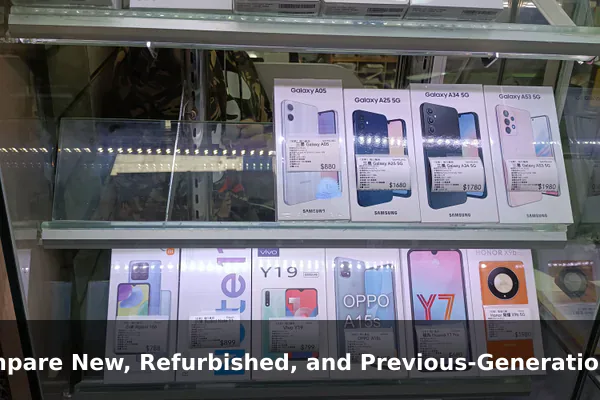
One of the most effective ways to save without losing quality is to widen the comparison set. A previous-generation flagship often outperforms a brand-new budget model in camera processing, display quality, and longevity, sometimes at a similar price.
Check Official Spec Comparisons
For iPhone shoppers, Apple’s official iPhone Compare tool is a reliable starting point for verifying current and recent model specifications side by side. Using a primary source helps you avoid outdated or inaccurate third-party summaries. Android shoppers should consult each manufacturer’s official product pages for similar verified specifications.
Consider Certified Refurbished Devices
Certified refurbished phones from a manufacturer or an authorized program typically include testing, a warranty, and known battery condition. Apple’s Certified Refurbished store, for example, publicly describes its testing process and warranty terms. Programs like these generally offer stronger quality assurance than unverified marketplace listings, although availability and savings vary over time.
Look Beyond the Newest Release
Last year’s flagship and current midrange phones often hit a sweet spot:
- Mature software with several remaining years of updates.
- Strong chipsets that still handle modern apps smoothly.
- Lower prices because retailers clear inventory after new launches.
Buy Used Phones Safely Before Chasing the Cheapest Deal
Used phones can be excellent value, but the lowest price is rarely the safest. Following consumer-protection basics helps you avoid scams, blacklisted devices, and incompatible hardware.
Follow Trusted Online Shopping Practices
The U.S. Federal Trade Commission publishes general consumer guidance on online shopping that applies well to used phone purchases. Their advice covers checking seller reputation, using payment methods with strong dispute protection, watching for unrealistic shipping promises, and reading return policies before paying. Treat any deal that pressures you to pay outside a protected channel as a warning sign.
Check the Device History
Before paying for a used phone in the U.S., it is wise to:
- Run the IMEI through the CTIA Stolen Phone Checker, an official industry service that flags devices reported lost or stolen.
- Verify the FCC ID using the FCC’s official Equipment Authorization search to confirm the device is authorized for use in the U.S.
- Confirm carrier compatibility for the bands you actually use.
- Ask the seller to demonstrate that the phone is not locked to another account, such as iCloud Activation Lock or a Google account.
These checks take only minutes and can prevent buying a device that cannot be activated or resold.
Extend Phone Life With Maintenance That Preserves Performance
Keeping a phone longer is usually the biggest single saving you can make, but only if the device stays pleasant to use. Maintenance habits help preserve speed, battery health, and security.
Protect the Battery
Battery wear is the most common reason people replace otherwise capable phones. Helpful habits include:
- Avoiding repeated full discharges and prolonged exposure to high heat.
- Using charging speeds that match your real needs, rather than always using maximum-wattage fast charging.
- Enabling built-in features such as optimized or adaptive charging.
Keep Storage and Software Healthy
A cluttered phone often feels slow even when the hardware is fine. To preserve smoothness:
- Clear unused apps, large downloads, and duplicate photos regularly.
- Install official security and OS updates promptly to maintain protection and stability.
- Restart the device periodically and review background app activity.
Use Physical Protection
A reliable case and a quality screen protector are inexpensive compared with a screen repair or a replacement device. Choose protection appropriate for your environment rather than the most expensive option available.
Save on Accessories Without Creating New Problems
Accessories are an area where ultra-cheap choices can create real risk. Low-quality chargers and cables may damage your battery, fail safety standards, or simply stop working quickly.
Pick Chargers and Cables Carefully
Look for accessories that:
- Match your phone’s supported charging standard, such as USB Power Delivery.
- Come from established brands with transparent specifications.
- Carry recognized safety certifications relevant to your region.
Balance Cost and Reliability for Cases and Screen Protectors
Midrange cases and tempered-glass protectors from reputable brands usually offer the best balance of price and protection. Avoid accessories that block legitimate features such as wireless charging, MagSafe alignment, or proximity sensors.
Control Monthly Smartphone Costs
Even the most affordable phone becomes expensive when monthly services pile up. Reviewing recurring costs is often as impactful as choosing the right device.
Reassess Your Mobile Plan
Carriers frequently update plans, and many users keep paying for unused data or premium add-ons. Compare your average monthly data usage with current plan options, and consider prepaid or smaller carriers if their coverage works in your area.
Trade-In, Insurance, and Financing
Trade-in programs can lower the net cost of an upgrade, but compare offers across the manufacturer, your carrier, and reputable resellers. Insurance and extended protection plans can be worthwhile for fragile devices or high-risk users, but read coverage details carefully because pricing, deductibles, and rules change over time. Financing terms should always be reviewed for total cost, not just the monthly payment.
Review Subscriptions and Cloud Storage
Audit recurring app subscriptions, streaming services, and cloud storage tiers. Many users can downgrade a cloud plan after cleaning up old backups or move to a family plan to share costs.
Quality Checklist Before You Buy or Upgrade
Use this concise checklist whenever you are about to purchase, replace, or significantly upgrade a smartphone. It combines the most important quality and safety checks in one place.
- Software support: confirm how many years of OS and security updates remain.
- Warranty and returns: verify the warranty length and the return window in writing.
- Battery health: for used or refurbished devices, ask for the reported battery health figure.
- Network compatibility: check that the phone supports the bands your carrier actually uses.
- IMEI status: for used phones, run the IMEI through the CTIA Stolen Phone Checker.
- FCC ID: verify equipment authorization through the FCC’s official search tool when buying in the U.S.
- Seller trust: follow FTC online shopping guidance and prefer payment methods with dispute protection.
- Accessories included: confirm what comes in the box so you can budget for chargers or cables.
- Total cost of ownership: add device price, accessories, plan, insurance, and likely repairs.
Final Thoughts on Budget-Friendly Smartphone Quality
Saving on smartphone technology without losing quality is a combination of small, repeatable habits: choosing the right feature set, comparing new and refurbished options, buying used phones safely, maintaining the device, picking trustworthy accessories, and controlling monthly costs. None of these steps requires advanced technical skills, but together they can extend the useful life of your phone and reduce the risk of expensive mistakes.
Whenever a decision involves price, warranty, network rules, or device authenticity, lean on official sources such as the FTC, FCC, CTIA, and the manufacturer’s own pages. These resources are updated more reliably than informal reviews and give you a stronger foundation for a confident, budget-friendly choice that still respects quality and safety.
Official references
- FTC Consumer Advice – Online Shopping – Primary U.S. consumer guidance for safe online purchases, seller checks, payment risks, shipping promises, and avoiding scams when buying phones or accessories.
- FCC Equipment Authorization FCC ID Search – Official database path for checking FCC IDs and equipment authorization details on wireless devices sold in the U.S.
- CTIA Stolen Phone Checker – Official CTIA consumer service for checking whether a used mobile device has been reported lost or stolen before purchase.
- Apple iPhone Compare – Official iPhone comparison source for current and recent model specs, availability, and pricing signals.
- Apple Certified Refurbished – Official refurbished-device source for warranty, testing, and savings claims when recommending budget iPhone options.
