
Introduction: Why Refresh Rate Feels Bigger Than a Spec Sheet Number
Smartphone displays have become one of the biggest differences between phones that feel merely usable and phones that feel genuinely premium. Camera hardware, processor names, and charging speeds still matter, but the screen is the part of the device you touch, watch, scroll, and stare at every day. That is why the debate around 60Hz vs 120Hz smartphone displays is not just a technical argument. It is a real-world question about comfort, responsiveness, battery life, and whether a higher refresh rate is worth paying for.
A 60Hz display refreshes 60 times per second, while a 120Hz display refreshes 120 times per second. In theory, that means a 120Hz screen can show twice as many visual updates every second. In practice, the difference is most obvious when scrolling through apps, swiping between home screens, navigating menus, playing supported games, or using a stylus. The phone appears to react faster because motion is broken into smaller, smoother steps.
However, higher refresh rate is not a free upgrade. A 120Hz smartphone display can use more power, especially when it runs at high brightness, renders heavy animations, or forces the processor and graphics unit to produce more frames. Some phones manage this well with adaptive refresh rate technology, while others lose battery life noticeably when 120Hz is enabled all day.
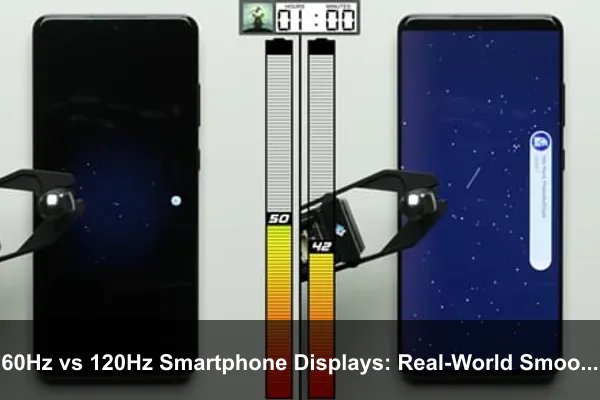
This guide takes a practical look at 60Hz vs 120Hz smartphone displays: real-world smoothness and battery trade-offs. Instead of treating 120Hz as automatically better or 60Hz as outdated, it explains where the difference matters, when it barely matters, how phone makers reduce power drain, and how to choose the right setting for your daily use.
What Refresh Rate Actually Means on a Smartphone
Refresh rate describes how many times per second a display can update the image on screen. The unit is hertz, shortened to Hz. A 60Hz screen refreshes every 16.7 milliseconds, while a 120Hz screen refreshes every 8.3 milliseconds. That shorter interval is the core reason 120Hz motion can look smoother and feel more responsive.
It is important to separate refresh rate from other display specifications. Resolution controls how many pixels are on the screen. Brightness affects visibility outdoors. OLED, AMOLED, and LCD describe panel technology. Touch sampling rate measures how often the screen checks for finger input. Refresh rate is specifically about how often the screen can redraw what you see.
60Hz: The Long-Time Smartphone Standard
For many years, 60Hz was the default refresh rate for phones, laptops, monitors, and televisions. It remains perfectly functional for messaging, reading, photography, video streaming, banking apps, navigation, and general productivity. Most video content is still delivered at 24, 30, or 60 frames per second, so a 60Hz display can show common video formats cleanly.
A good 60Hz display can still look excellent. Color accuracy, contrast, brightness, touch response, animation tuning, and software optimization all affect the experience. A cheap 120Hz panel with poor brightness or inconsistent performance may feel worse than a high-quality 60Hz screen on a well-optimized phone.
120Hz: Smoother Motion and Faster Visual Feedback
A 120Hz smartphone display has the ability to refresh twice as often as a 60Hz display. When the phone’s software and hardware can keep up, animations appear more fluid. Scrolling text remains easier to track. Gesture navigation feels more immediate. Games that support high frame rates can look more responsive and connected to your input.
The key phrase is when the phone can keep up. A 120Hz display does not guarantee that every app will run at 120 frames per second. The processor, graphics unit, operating system, app design, thermal limits, and battery settings all influence the final result. If an app is capped at 60 frames per second, the screen may still refresh at 120Hz, but the app itself will not produce 120 unique frames every second.
Real-World Smoothness: Where 120Hz Makes the Biggest Difference
The easiest way to understand the 60Hz vs 120Hz difference is to think about motion. A static photo, a paused article, or a settings screen does not benefit much from a higher refresh rate. The advantage appears when content moves across the display or when your input causes rapid visual changes.
Scrolling Through Feeds, Articles, and Web Pages
Scrolling is where many people first notice 120Hz. On a 60Hz phone, text and images update 60 times per second as they move. On a 120Hz phone, the motion can appear cleaner because the screen has more opportunities to show intermediate positions. The result is less visual stepping and a stronger sense that content is directly attached to your finger.
This is especially noticeable in long social feeds, news apps, shopping apps, email inboxes, and web pages with dense text. A 120Hz display can make fast scrolling easier to visually follow, though it will not fix poor app design, slow internet, or pages overloaded with ads and scripts.
Gesture Navigation and System Animations
Modern smartphones rely heavily on gestures. You swipe home, drag between apps, open quick settings, pull notification panels, and flick through recent apps. A 120Hz screen can make these transitions feel more polished because the motion has smaller gaps between frames.
This is one reason high refresh rate often feels more premium even when the phone is not technically doing anything complex. The user interface gives faster visual feedback. The phone may not open an app dramatically faster, but the animation into that app feels cleaner and more immediate.
Gaming and Touch-Heavy Apps
Gaming is one of the strongest use cases for 120Hz, but only under the right conditions. A game must support high frame rates, the phone must be powerful enough to render those frames, and the device must avoid overheating during longer sessions. When everything lines up, 120Hz can improve motion clarity and reduce the delay between your action and the visual response.
Fast games benefit most, including shooters, racing games, action titles, rhythm games, and competitive multiplayer games. Slower puzzle games, turn-based games, and casual titles may not feel very different. Some games also lock their frame rate to preserve battery life or maintain consistent performance across devices.
Stylus Input, Drawing, and Note-Taking
For phones that support a stylus, refresh rate can affect how natural writing feels. A higher refresh rate can reduce the visible gap between the stylus tip and the digital ink trail. This does not depend only on refresh rate; stylus latency, touch sampling, software prediction, and app optimization also matter. Still, 120Hz can make handwriting and sketching feel more direct.
Where 120Hz Does Not Matter as Much
High refresh rate is easy to appreciate, but it is not equally valuable in every task. Understanding the limits helps prevent overspending on a display feature that may not match your actual habits.
Watching Movies and Most Streaming Video
Most movies are produced at 24 frames per second. Many online videos run at 30 or 60 frames per second. A 120Hz display can show these frame rates cleanly because 24, 30, and 60 divide neatly into 120, but it does not magically turn ordinary video into true 120fps content. The motion style of a movie remains tied to how it was filmed and encoded.
For video watching, display quality usually matters more than refresh rate. Brightness, HDR performance, black levels, color accuracy, viewing angles, and speaker quality often make a bigger difference than choosing 120Hz over 60Hz.
Reading Static Content
If you spend most of your phone time reading articles, ebooks, documents, recipes, or messages while the screen is mostly still, 120Hz offers limited benefit. You may notice smoother page transitions or scrolling, but once the content stops moving, the advantage largely disappears.
This is one reason adaptive refresh rate is valuable. A smart display system can drop to a lower refresh rate when you are reading static content, then rise again when you scroll or interact.
Basic Communication and Utility Apps
Messaging, calling, calendar checks, alarms, password managers, banking apps, and two-factor authentication do not demand 120Hz. These apps can feel nicer on a high refresh rate screen, but the functional improvement is small. For users who treat a phone mainly as a communication and utility device, 60Hz remains acceptable if the rest of the phone is strong.
Battery Trade-Offs: Why 120Hz Can Drain More Power
The battery side of the 60Hz vs 120Hz debate is more complicated than saying 120Hz uses twice as much power. The display refreshes twice as often, but total battery drain depends on the panel, brightness, processor workload, graphics workload, app behavior, network use, and thermal management.
In general, 120Hz can increase power use in two main ways. First, the display panel and display controller may consume more energy when refreshing more often. Second, the phone’s processor and graphics unit may work harder if apps are actually rendering more frames per second. The second factor can be especially important in games and animation-heavy interfaces.
Display Power vs Processing Power
A phone display consumes power to illuminate pixels and update the image. On OLED phones, bright content uses more energy than dark content because individual pixels emit light. On LCD phones, the backlight is a major factor. Refresh rate adds another layer because the display system must update more frequently.
Processing power matters too. If a game runs at 120fps instead of 60fps, the graphics unit may need to render twice as many frames. That can raise energy use and heat. If the phone simply displays a static page at a lower adaptive refresh rate, the impact may be much smaller.
Brightness Often Matters More Than Refresh Rate
Outdoor brightness can consume a large amount of battery. A phone locked at high brightness may drain quickly whether it is running at 60Hz or 120Hz. This matters because some users blame 120Hz for poor battery life when the real issue is a combination of high brightness, weak signal, background apps, GPS use, and demanding content.
That does not mean refresh rate is irrelevant. It means battery life should be judged in context. A 120Hz phone used indoors at moderate brightness may last longer than a 60Hz phone used outdoors at maximum brightness with navigation active.
High Refresh Rate and Heat
When 120Hz is paired with heavy processing, heat can build up. This is common during gaming, long video calls with animated effects, camera viewfinder use, or extended multitasking. As the phone warms, it may reduce performance to protect the hardware and battery. When that happens, a 120Hz setting may not remain consistently smooth.
This is why real-world smoothness is about consistency, not only peak refresh rate. A phone that holds a stable 90Hz or 120Hz under load can feel better than one that jumps between high and low performance because it cannot manage heat well.
Adaptive Refresh Rate: The Technology That Changes the Trade-Off
Many modern smartphones do not run at one fixed refresh rate all the time. Instead, they use adaptive refresh rate technology to change the refresh rate based on what you are doing. This is one of the most important developments in smartphone display efficiency.
How Adaptive Refresh Rate Works
An adaptive display can lower refresh rate for static or low-motion content and raise it when smoother motion is useful. For example, a phone may use a low refresh rate when showing an always-on display, a medium rate while reading, 60Hz for video, and 120Hz while scrolling or gaming.
The exact behavior varies widely by phone. Some devices switch between a few fixed steps, such as 60Hz and 120Hz. Others use more flexible systems that can move through many levels. Premium LTPO OLED panels are known for supporting very low refresh rates when content is static, which can reduce power use.
Fixed 120Hz vs Adaptive 120Hz
A fixed 120Hz mode keeps the display running at a high refresh rate more often, which can feel consistently smooth but may use more battery. An adaptive 120Hz mode aims to provide smoothness when needed and save power when high refresh is unnecessary.
For most users, adaptive mode is the best default. It gives the main benefits of 120Hz without forcing the phone to behave as if every screen needs maximum refresh rate. However, some sensitive users notice refresh rate switching, especially if the phone changes rates aggressively or if certain apps are poorly optimized.
Why Some 120Hz Phones Feel Smoother Than Others
Two phones can both advertise 120Hz and still feel different. The smoother phone may have better animation tuning, faster storage, stronger graphics performance, higher touch sampling, better thermal control, or smarter adaptive refresh behavior. The display spec is only one part of the full responsiveness chain.
When comparing phones, look beyond the headline number. A well-tuned 120Hz implementation is more valuable than a basic one that stutters, drops frames, or disables high refresh in many apps.
60Hz vs 120Hz for Different Types of Users
The best refresh rate choice depends on how you use your phone. A power user, a mobile gamer, a commuter who reads constantly, and a casual caller do not need the same display priorities.
Choose 120Hz If You Value Fluid Interaction
A 120Hz smartphone display is worth prioritizing if you spend a lot of time scrolling, multitasking, gaming, drawing, editing, or rapidly switching between apps. It is also a strong upgrade if you are sensitive to motion smoothness and notice visual choppiness on 60Hz screens.
Users who often appreciate 120Hz include:
- Mobile gamers who play titles that support high frame rates.
- Heavy social media users who scroll through long feeds every day.
- Productivity users who move quickly between email, documents, notes, and browser tabs.
- Stylus users who write, sketch, annotate, or mark up documents.
- Premium phone buyers who want the interface to feel as polished as possible.
Choose 60Hz If Battery Simplicity Matters More
A 60Hz display is still reasonable if you mostly use your phone for calls, messaging, maps, banking, reading, photos, and standard video streaming. It can also be a smart compromise on budget phones where the choice is between a better overall display at 60Hz and a lower-quality panel advertised as 120Hz.
60Hz may be enough if:
- You rarely play fast-paced games.
- You care more about battery endurance than animation smoothness.
- You mostly read static content or watch standard video.
- You are buying a lower-cost phone and want better brightness, durability, or camera quality instead.
- You do not notice or care about the difference after trying both settings.
Consider 90Hz as the Middle Ground
Some smartphones offer 90Hz, either as a panel limit or as a selectable setting. A 90Hz screen can feel noticeably smoother than 60Hz while often using less power than constant 120Hz. It is not as fluid as 120Hz, but for many people it is the practical sweet spot.
If your phone allows 60Hz, 90Hz, and 120Hz modes, testing 90Hz for a few days can be useful. You may find that it delivers enough smoothness without the same battery concern.
How to Test the Difference on Your Own Phone
The best way to decide between 60Hz and 120Hz is to test both in your normal routine. Quick store demos can be misleading because display brightness, demo content, and first impressions do not always match daily use.
Use the Same Apps and Same Conditions
To compare fairly, use your phone in the same conditions for each refresh rate. Keep brightness similar, use the same network, avoid changing power modes, and repeat the same tasks. Otherwise, battery results can be skewed by unrelated factors.
A simple test can look like this:
- Charge the phone to the same level, such as 100 percent or 80 percent.
- Use 120Hz or adaptive high refresh for one normal day.
- Record screen-on time, remaining battery, and any moments of heat or stutter.
- Switch to 60Hz the next comparable day.
- Repeat the same apps and usage pattern as closely as possible.
- Compare how the phone felt, not just the final battery percentage.
Look for Smoothness in Specific Places
When testing 60Hz vs 120Hz, pay attention to motion-heavy tasks. Scroll a long article, open and close apps, swipe through recent apps, drag the notification shade, move around a map, and play a supported game. These actions reveal the difference more clearly than staring at a static home screen.
Also watch for inconsistency. A phone that feels smooth for five minutes but stutters after warming up may not deliver the premium experience you expect from 120Hz.
Check App-Specific Behavior
Some apps do not run at the highest refresh rate, even when the phone setting allows it. Video apps may use frame rates that match the content. Games may have their own frame rate caps. Battery saver modes may force lower refresh rates. Manufacturer software may also limit high refresh in certain apps to save power.
If one important app feels no different at 120Hz, the app may be capped or poorly optimized. That does not mean the display is faulty; it means the refresh rate advantage depends on software support.
Common Myths About 60Hz and 120Hz Displays
Refresh rate marketing has created several misunderstandings. Clearing them up makes it easier to judge phones realistically.
Myth: 120Hz Always Doubles Battery Drain
120Hz can use more battery, but it does not automatically double total drain. The display is only one part of power consumption. Adaptive refresh, efficient OLED panels, processor design, brightness, app workload, and signal strength all affect the result. In light use, the difference may be modest. In heavy gaming, it can be much larger.
Myth: Every 120Hz Phone Feels the Same
A refresh rate number does not guarantee smooth performance. Frame stability, touch response, animation tuning, app optimization, and thermal behavior matter. A flagship with a good adaptive display may feel much better than a budget phone with a 120Hz panel but weaker performance.
Myth: 60Hz Is Unusable
60Hz is not unusable. Many people still use 60Hz phones without frustration, especially if the device is responsive and the display quality is good. The issue is comparison. Once you adapt to 120Hz, returning to 60Hz can make motion feel less fluid. That does not mean 60Hz cannot serve everyday needs.
Myth: Refresh Rate Is the Same as Touch Sampling Rate
Refresh rate controls how often the display updates the image. Touch sampling rate controls how often the screen checks for touch input. A phone can have a 120Hz display and a higher touch sampling rate for gaming. Both can affect perceived responsiveness, but they are not the same specification.
Practical Settings for Better Smoothness and Battery Balance
You do not have to choose one refresh rate forever. Most phones let you adjust display settings, and the best setup may change depending on your day.
Use Adaptive Mode When Available
If your phone offers an adaptive or dynamic refresh rate option, start there. It usually provides the best balance of smoothness and efficiency. The phone can raise refresh rate during scrolling and lower it when content is static, which is exactly how high refresh rate should work for most users.
Switch to 60Hz for Travel or Long Days
If you need maximum endurance, 60Hz can be a useful temporary setting. Long travel days, conferences, outdoor navigation, and situations where charging is inconvenient are good times to prioritize battery life over interface fluidity.
This is different from general battery health advice. The point here is daily runtime, not long-term battery aging. Lowering refresh rate reduces active power demand, which can help the phone last longer between charges.
Use 120Hz for Gaming, Drawing, and Heavy Interaction
When you want the best interactive experience, enable the highest refresh rate your phone supports. This makes sense for gaming sessions, stylus work, fast multitasking, or any period where smoothness matters more than squeezing out extra battery.
Watch for Battery Saver Side Effects
Battery saver modes often reduce refresh rate, limit background activity, lower performance, and change animations. If your 120Hz phone suddenly feels less smooth, check whether battery saver is active. The phone may be intentionally restricting refresh rate to extend runtime.
Buying Advice: How Much Should Refresh Rate Influence Your Next Phone?
When buying a smartphone, refresh rate should be part of the display decision, not the entire decision. A great screen combines smoothness, brightness, contrast, color quality, resolution, outdoor readability, touch response, and durability. A 120Hz label by itself does not guarantee a better display.
For Budget Phones
In budget phones, manufacturers sometimes advertise 120Hz because it is easy to market. The rest of the display may still have limited brightness, weaker colors, thicker bezels, or inconsistent performance. If choosing between two affordable phones, do not pick the 120Hz model automatically. Check whether the processor can keep animations smooth and whether battery life remains acceptable.
For Mid-Range Phones
Mid-range phones often benefit the most from a good 120Hz display because the feature can make the device feel more expensive than it is. Look for adaptive refresh rate, solid brightness, and reviews that mention stable performance. A well-balanced mid-range phone with 120Hz can feel excellent in daily use.
For Flagship Phones
At the flagship level, 120Hz or adaptive high refresh is now expected. The key differences are efficiency, minimum refresh rate, brightness, color quality, and consistency under load. Premium phones should not merely offer 120Hz; they should manage it intelligently without severe battery penalties.
Conclusion: The Best Choice Depends on What You Notice and What You Need
The debate around 60Hz vs 120Hz smartphone displays comes down to a practical trade-off. A 120Hz display can make a phone feel smoother, faster, and more premium, especially when scrolling, gaming, using gestures, or writing with a stylus. A 60Hz display can still be perfectly usable, especially for reading, messaging, video streaming, and basic daily tasks.
Battery life is the main compromise. Running at 120Hz can increase power use, particularly during graphics-heavy tasks or when the phone does not manage refresh rate efficiently. Adaptive refresh rate reduces that penalty by using high refresh only when it helps. For most people with a modern phone, adaptive 120Hz is the best everyday setting. For maximum endurance, 60Hz remains useful. For maximum smoothness, 120Hz is the clear winner when the hardware and apps support it well.
The smartest approach is not to treat refresh rate as a status symbol. Try both settings in your real routine. If 120Hz makes your phone feel noticeably better and the battery still lasts through your day, it is worth using. If you barely notice the difference or regularly need longer runtime, 60Hz is a sensible choice. The best smartphone display is not simply the one with the highest number; it is the one that gives you the right balance of smoothness, efficiency, and comfort every time you pick up your phone.
