
Most people use their smartphones for less than 20 percent of what the device can actually do. A typical day involves calls, social media, and messaging — but the same device can handle navigation, budgeting, health tracking, document management, and dozens of other tasks that currently take extra time or extra tools. Getting more value from smartphone technology is not about buying a newer model. It is about learning to use what you already have more deliberately.
This guide covers practical changes you can make today — from hidden built-in features to smarter app choices, better maintenance habits, and simple daily routines that turn your phone into a genuinely useful tool rather than a distraction machine.
Start With the Features Most People Ignore
Every smartphone ships with built-in tools that most users never fully explore. Taking ten minutes to learn these features pays off every single day.
Focus Modes and Scheduled Automation
Both Android and iPhone include focus modes that silence distractions during work, sleep, or personal time. Pair them with automation triggers — for example, automatically enabling Do Not Disturb when you arrive at the office — and your phone manages interruptions without manual effort.
Voice Assistants for Hands-Free Control
Google Assistant, Siri, and Bixby can set reminders, read messages, control smart home devices, and navigate apps without you touching the screen. Using voice commands while driving, cooking, or exercising adds genuine convenience most users leave on the table.
Widgets and Quick Settings
A well-configured home screen with useful widgets — weather, calendar, to-do lists, or battery status — removes unnecessary app-opening steps. Customizing your quick settings panel means one swipe gives you access to the controls you actually use most.
Accessibility Tools That Help Everyone
Features like text size adjustment, one-handed mode, and live captions were designed for accessibility but benefit all users. Live captions are especially useful in noisy environments or when watching videos without headphones.
Make Your Phone Work Better for Daily Tasks
A smartphone becomes more valuable when it actively replaces slower, more complicated workflows. The key is integrating it into daily routines rather than working around it.
- Navigation: Download offline maps so navigation works without mobile data. Google Maps and Apple Maps both support saving map areas locally.
- Payments: Set up Google Pay or Apple Pay so purchases at stores, restaurants, and transit terminals require only a tap — no wallet needed.
- File sharing: Android’s Nearby Share and iPhone’s AirDrop move files between devices instantly without cables or cloud uploads.
- Quick notes: Keep a default note pinned to your lock screen widget so ideas and reminders go somewhere useful within seconds of thinking of them.
- Calendar sync: Connect your calendar to messaging apps so meeting invites automatically populate your schedule without manual entry.
Each of these removes a small friction point. Over a week, removing friction adds up to hours saved and fewer tasks forgotten.
Use Apps That Save Time, Money, and Effort
The best apps do not add complexity — they reduce it. Avoid installing apps just because they exist. Focus on categories that solve real problems you face regularly.
High-Value App Categories Worth Installing
- Password managers (Bitwarden, 1Password): Store and auto-fill strong, unique passwords so you stop reusing weak ones or forgetting credentials.
- Budgeting apps (YNAB, Money Manager): Connect to your spending habits and show where money actually goes — useful for cutting waste without complex spreadsheets.
- Document scanners (built-in iOS scanner, Adobe Scan): Digitize receipts, contracts, or handwritten notes in seconds with automatic edge detection.
- Health trackers: Step counting, sleep monitoring, and hydration reminders are already baked into most stock health apps and cost nothing to use.
- Learning apps (Duolingo, Blinkist): Five to ten minutes of productive learning during a commute replaces passive scrolling with something that compounds over time.
The guiding rule: if an app does not save time, save money, or noticeably improve something you care about, delete it.
Improve Battery Life, Speed, and Storage
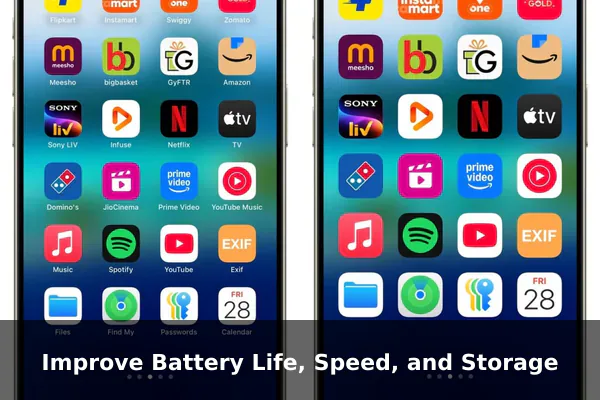
A slow or low-battery phone is a frustrating phone. Regular maintenance keeps performance stable without requiring a hardware upgrade.
Battery Habits That Last
- Keep charge levels between 20 and 80 percent when possible to reduce long-term battery degradation.
- Use Adaptive Charging or Optimized Battery Charging settings, available on most modern Android and iPhone models, to slow overnight charging and extend battery health over years.
- Reduce screen brightness and limit screen-on time — display backlight is typically the largest power drain.
Speed and Storage Tips
- Uninstall apps you have not opened in 30 days. Unused apps consume storage and sometimes run background processes.
- Move photos and videos to cloud storage or a computer periodically. A nearly full internal storage noticeably slows some devices.
- Restart your phone once a week. This clears temporary files and refreshes memory allocation without any data loss.
- Keep your operating system updated. Security patches and performance improvements ship regularly — skipping updates means missing both.
Protect Your Data While Getting More Convenience
Security and convenience are not opposites. With the right setup, your phone becomes both safer and easier to use at the same time.
Biometrics and Passkeys
Enable fingerprint or face unlock — they are faster than PINs and harder to compromise in public. Where available, use passkeys instead of passwords for app and website logins. Passkeys cannot be phished and require no password to memorize or reset.
App Permissions
Review which apps have access to your location, microphone, camera, and contacts. Most apps request more permissions than they actually need. On Android and iPhone, setting location access to while using the app rather than always reduces background data collection significantly with no impact on day-to-day use.
Automatic Backups
Enable automatic cloud backup. If your device is lost, stolen, or damaged, a recent backup means recovery takes minutes rather than weeks. Both Google Backup and iCloud handle this automatically once enabled in settings.
Get More Years Out of Your Smartphone
The most financially sound smartphone decision is usually delaying the next upgrade rather than rushing toward it. A phone that lasts four years instead of two cuts your hardware spending nearly in half.
- Use a case and screen protector: Physical damage is the most common reason for early replacement. A modest case and screen protector protect a device worth hundreds of dollars for a fraction of the cost.
- Battery replacement: If your phone still performs well but the battery has degraded below 80 percent capacity, a battery replacement at an authorized service center typically costs far less than a new device.
- Choose phones with longer update commitments: When you do eventually upgrade, prioritize manufacturers that promise five to seven years of software updates for more years of secure, capable use.
- Use certified cables: Low-quality third-party cables can damage charging circuitry over time. Using certified cables costs a little more but protects long-term hardware health.
Simple Habits That Turn a Smartphone Into a Better Tool
The difference between a productive phone user and an overwhelmed one is usually not the device — it is the habits built around it. The following routine takes under 15 minutes weekly but has a measurable impact on how useful and reliable your phone feels.
- Weekly: Delete unused apps, clear the downloads folder, and review notification settings. Remove any alerts that are not genuinely useful.
- Monthly: Check battery health in settings, review app permissions, and confirm that backups are completing correctly.
- Home screen discipline: Keep your home screen to two pages maximum. Fewer visible apps means fewer distractions and faster access to what you actually need.
- Before picking up your phone: Ask what you are about to do before you open it. Intentional use is more productive than reflexive scrolling and typically leaves you feeling better about the time spent.
Smartphones already contain more capability than most users fully benefit from. The gap between what your phone can do and what you currently use it for is exactly where the real value lives. Start with one section from this guide, build one new habit, and your phone will become noticeably more useful within a week — without spending anything.
