
Introduction: Why Your Smartphone Photo Format Matters
Most smartphone users think about megapixels, lenses, night mode, zoom range, and editing apps before they think about file format. Yet the choice between HEIF and JPEG can quietly affect image quality, storage use, sharing reliability, editing flexibility, cloud backup behavior, and even whether someone else can open the photo you send. That makes the HEIF vs JPEG question more practical than it first appears.
On modern phones, especially iPhones and higher-end Android devices, HEIF is often presented as the newer, more efficient option. JPEG is the older default that still works almost everywhere. The decision is not simply about new versus old. HEIF can save space and preserve more advanced image data, while JPEG remains the safest format for compatibility across apps, websites, printers, older computers, and messaging platforms.
This guide explains what HEIF and JPEG actually mean on smartphones, how they differ in real-world use, and which photo format you should choose depending on whether you care most about storage, quality, editing, sharing, professional workflows, or long-term accessibility.
What Is JPEG?
JPEG, often saved as a .jpg or .jpeg file, is the most widely supported photo format in the world. It has been used for digital cameras, websites, email attachments, social media uploads, and smartphone photography for decades. When you take a JPEG photo, the camera software compresses the image to reduce file size while keeping the picture visually acceptable.
JPEG compression is lossy, meaning some image data is permanently discarded. In everyday smartphone photography, this usually looks fine because phone cameras use sophisticated processing before saving the final image. However, heavy compression can create visible artifacts, especially around text, sharp edges, fine textures, gradients, and areas with high contrast.
Why JPEG Became the Universal Photo Format
JPEG became dominant because it solved a practical problem: photos needed to be small enough to store, send, and display quickly. Almost every operating system, browser, photo editor, printer, website, messaging service, and digital frame understands JPEG. If your priority is making sure a photo opens anywhere, JPEG is still the safest bet.
Where JPEG Still Works Best
JPEG remains useful when you need predictable compatibility. It is ideal for uploading product images to older web forms, sending photos to people using older devices, submitting documents online, printing at local kiosks, adding images to presentations, and working with apps that do not properly support HEIF or HEIC files.
What Is HEIF?
HEIF stands for High Efficiency Image File Format. It is a modern image container designed to store photos more efficiently than JPEG. On smartphones, HEIF files are often associated with the .heic extension, especially on iPhone. HEIC is a common implementation of HEIF that uses high-efficiency compression to keep image files smaller while maintaining strong visual quality.
In simple terms, HEIF is built for the smartphone era. It can store high-quality images in smaller files and can also hold extra image-related data, such as depth maps, bursts, edits, transparency, image sequences, and high dynamic range information, depending on how the phone and software use it.
HEIF vs HEIC: Are They the Same?
They are closely related but not exactly the same. HEIF is the format standard, while HEIC is a file type commonly used for HEIF images compressed with HEVC technology. Many users say HEIF and HEIC interchangeably because phones and computers often expose the file as .heic. For practical smartphone use, when someone asks about HEIF vs JPEG, they are usually asking whether to save photos as HEIC/HEIF or JPG/JPEG.
Why Smartphone Makers Use HEIF
Smartphone cameras now capture larger files than ever because of high-resolution sensors, computational photography, HDR processing, portrait depth effects, live photo features, and multi-frame image pipelines. HEIF helps manufacturers reduce storage pressure without forcing users to lower camera quality. This is why many phones offer a high-efficiency photo option in camera settings.
HEIF vs JPEG: The Core Differences
The most important difference between HEIF and JPEG is efficiency. HEIF can often deliver similar perceived image quality at a smaller file size, while JPEG offers near-universal compatibility. However, that single sentence hides several important trade-offs.
File Size
HEIF files are usually smaller than JPEG files at comparable visual quality. The exact difference depends on the scene, phone model, camera settings, HDR mode, and software processing. In many everyday cases, HEIF can reduce storage use noticeably, especially for people who take thousands of photos.
This matters more than it seems. A smaller photo library can reduce local storage pressure, speed up backups, make cloud syncing more manageable, and leave more room for apps, videos, offline music, and downloaded files. If your phone has limited internal storage and you do not want to constantly delete photos, HEIF has a clear advantage.
Image Quality
HEIF can preserve excellent detail while using less space. It generally handles compression more efficiently than JPEG, which means it can avoid some of the blocky artifacts and texture smearing that may appear in heavily compressed JPEGs. In normal daylight photos, many people will not see an obvious difference at first glance, but the efficiency advantage becomes more useful when saving many images over time.
JPEG is not automatically low quality. A well-processed smartphone JPEG can look excellent. The issue is that JPEG is less efficient, so it often needs a larger file size to maintain the same level of detail. If both files are aggressively compressed, HEIF usually has more room to look cleaner.
Color and HDR Support
One of HEIF’s major strengths is support for more modern imaging features. Some smartphones can use HEIF to store wide color and HDR-related data more effectively than standard JPEG. This is especially relevant for phones that capture bright highlights, deeper shadows, and richer color ranges for display on HDR-capable screens.
JPEG is commonly limited to standard dynamic range delivery in many workflows. Even when a phone applies impressive HDR processing before saving a JPEG, the final file may not preserve the same advanced display information as a high-efficiency format designed for modern imaging pipelines.
Compatibility
This is where JPEG wins clearly. JPEG works almost everywhere. HEIF support is much better than it used to be, but it is still not universal. Some older Windows PCs, Android phones, editing programs, website upload forms, printers, content management systems, and business tools may reject HEIC files or display them incorrectly.
Modern iPhones, iPads, Macs, many newer Android phones, and recent versions of major operating systems can usually handle HEIF. Still, compatibility gaps remain common enough that you should think about your workflow before switching everything to HEIF.
Editing Flexibility
HEIF can support richer image containers, but editing flexibility depends heavily on the app. Some mobile photo apps handle HEIF well. Others silently convert HEIF to JPEG during export, stripping extra data or changing the color rendering. JPEG is simpler and widely supported, but repeated editing and re-saving can degrade quality because each lossy save may compress the image again.
For serious editing, RAW or ProRAW-style formats are a different category and are not replaced by either HEIF or JPEG. HEIF is better understood as an efficient finished-photo format, not a full substitute for RAW capture when you need maximum post-processing control.
When HEIF Is the Better Choice
HEIF is the better smartphone photo format when you want modern image quality with efficient storage and you mostly use recent devices and apps. It is especially useful for people who take many photos but rarely need to send original files to older systems.
You Take Lots of Photos
If your camera roll grows quickly, HEIF can make a meaningful difference. Family photos, travel shots, screenshots from the camera app, food photos, pet portraits, receipts, and quick reference images all add up. HEIF lets you keep more photos on the same device without immediately paying for more cloud storage or upgrading to a phone with more internal capacity.
You Mostly Stay Inside a Modern Ecosystem
HEIF works best when your devices and apps understand it. If you use a recent iPhone, iPad, Mac, or modern Android phone, and your main sharing channels are updated messaging apps and cloud photo services, HEIF is usually smooth. Many phones can also automatically convert HEIF to JPEG when sharing with incompatible devices, which reduces friction.
You Care About HDR and Advanced Photo Features
For phones that capture HDR photos, portrait effects, live images, or other computational photography features, HEIF may preserve more of the intended result. This does not mean every HEIF photo is automatically superior, but the format is better aligned with modern smartphone camera systems than classic JPEG.
You Want Efficient Backups
Smaller files can make backup and sync behavior easier to manage. If you upload your photo library to a cloud service, HEIF may reduce the amount of data transferred and stored. This is useful when you travel, use limited mobile data, or sync photos across multiple devices.
When JPEG Is the Better Choice
JPEG is the better choice when compatibility matters more than file efficiency. It is the dependable option for people who often move photos between many platforms, send images to clients, upload to older websites, or print through systems with unknown format support.
You Share Photos With Many Different People
If your photos frequently go to relatives, coworkers, schools, government portals, small businesses, online marketplaces, or community groups, JPEG reduces the chance of someone saying they cannot open the file. Even when HEIF conversion is possible, JPEG avoids the extra step.
You Upload Images to Websites and Forms
Many websites support HEIF now, but many still expect JPEG or PNG. This is especially common with job applications, insurance claims, warranty forms, school portals, real estate systems, marketplace listings, and older content management dashboards. If you regularly upload photos to unpredictable platforms, JPEG is safer.
You Print Photos Often
Photo labs, kiosks, and online printing services usually accept JPEG reliably. Some support HEIF, but support is not something you should assume. For printing, a high-quality JPEG export is often the most practical format because it is easy to process and unlikely to cause errors.
You Use Older Software or Devices
If your computer, photo editor, or work software is older, HEIF can become annoying. You may need extra codecs, conversion tools, or updated apps. JPEG avoids those barriers and keeps your photo workflow simple.
Smartphone Settings: Where to Choose HEIF or JPEG
Most smartphones that support HEIF place the setting inside the camera or storage section. The exact wording varies by brand, but the choice is often framed as high efficiency versus most compatible.
On iPhone
On iPhone, Apple commonly labels HEIF capture as High Efficiency and JPEG capture as Most Compatible. High Efficiency saves photos as HEIF/HEIC and videos with high-efficiency codecs where applicable. Most Compatible saves photos as JPEG and videos in more broadly compatible formats.
For many iPhone users, High Efficiency is the best default because Apple devices handle HEIF well and can often convert during sharing. However, users who frequently move files to older Windows PCs, upload to restrictive websites, or send originals to non-technical recipients may prefer Most Compatible.
On Android Phones
Android support varies by manufacturer and camera app. Samsung, Google Pixel, Xiaomi, Oppo, Vivo, Realme, and other brands may offer a setting with names such as HEIF pictures, high efficiency images, or save space. Some models enable it only for certain camera modes, while others keep JPEG as the default.
If you use Android, check your camera settings and test a few photos before committing. Take one HEIF photo, share it through your normal apps, upload it to the websites you use, and open it on your computer. The best setting is the one that works in your real workflow.
Automatic Conversion During Sharing
Some phones and cloud services automatically convert HEIF to JPEG when you share photos outside the device ecosystem. This is convenient, but it can also create confusion because the file you store may be HEIF while the file someone receives is JPEG. That is not necessarily bad; it simply means your phone is balancing storage efficiency with sharing compatibility.
HEIF vs JPEG for Common Smartphone Use Cases
The right format depends on what you do with your photos after capture. A person who mainly stores photos privately has different needs from someone who sells products online, submits images for work, or edits pictures across multiple devices.
Everyday Personal Photos
For everyday personal photography, HEIF is often the better default on newer phones. It saves space, keeps quality high, and works well in modern photo apps. If your photos mostly stay in your phone gallery, cloud library, private albums, or family messaging apps, HEIF is convenient.
Social Media Posting
For social media, either format can work because most platforms recompress uploads anyway. The platform usually creates its own optimized copy after upload, so the original format matters less than lighting, sharpness, crop, and resolution. HEIF is fine if the app accepts it. JPEG is safer if an app rejects the file or changes colors unpredictably.
Work, School, and Administration
JPEG is usually the safer choice for work documents, school submissions, IDs, forms, receipts, and official uploads. These systems often prioritize broad compatibility over modern image features. A clear JPEG is less likely to cause delays than a HEIC file that someone on the other end cannot preview.
Online Selling and Product Photos
If you sell products online, JPEG is usually best for final uploads. Marketplaces and web stores commonly optimize images after upload, and JPEG remains the most accepted format. You can capture in HEIF to save space, but export or share as JPEG when preparing product listings.
Travel Photography
HEIF is excellent for travel when storage matters and you take many photos each day. Smaller files help when backing up over hotel Wi-Fi or mobile data. Still, keep a JPEG export option available if you need to upload passport scans, insurance photos, visa documents, or booking-related images during the trip.
Family Sharing
For family sharing, think about the least technical person who will receive the file. If everyone uses recent phones, HEIF is usually fine. If some people use older laptops, budget Android phones, or outdated messaging apps, JPEG prevents support headaches.
Quality Myths About HEIF and JPEG
Photo format discussions often get oversimplified. HEIF is not magic, and JPEG is not obsolete. Understanding the common myths helps you make a better decision.
Myth 1: HEIF Always Looks Better Than JPEG
HEIF is more efficient, but the final image still depends on the phone’s sensor, lens, image processing, exposure, sharpening, noise reduction, and compression settings. A well-processed JPEG can look better than a poorly processed HEIF file. Format is only one part of the imaging pipeline.
Myth 2: JPEG Is Bad Quality
JPEG can be high quality when saved with reasonable compression. Many professional-looking smartphone photos shared online are JPEGs. The problem is not JPEG itself, but excessive compression, repeated re-saving, or low-quality exports from apps.
Myth 3: HEIF Solves Storage Forever
HEIF saves space, but videos, app data, offline downloads, and high-resolution media can still fill a phone quickly. If you shoot a lot of 4K or 8K video, photo format alone will not solve storage management. HEIF helps, but it is not a complete storage strategy.
Myth 4: Everyone Can Open HEIC Files Now
Support has improved, but it is still inconsistent. Many modern systems open HEIC files without issue, while older business tools and web forms may not. Before using HEIF for important submissions, verify compatibility.
Pros and Cons of HEIF
HEIF’s strengths are most obvious on modern smartphones, but its weaknesses still matter in mixed-device workflows.
- Pros: Smaller files at similar visual quality compared with JPEG.
- Pros: Better suited for modern smartphone imaging features, including HDR-related workflows.
- Pros: Useful for large photo libraries and cloud backups.
- Pros: Can store more complex image data than standard JPEG in supported implementations.
- Cons: Not accepted by every website, app, printer, or older computer.
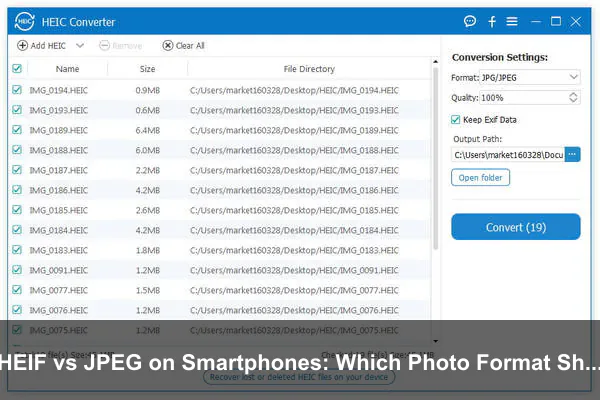
- Cons: May require conversion before sharing or editing in some tools.
- Cons: File extensions such as .heic can confuse recipients who expect .jpg.
Pros and Cons of JPEG
JPEG’s biggest advantage is predictability. It may not be the most efficient format, but it remains the easiest format to use across the widest range of devices and services.
- Pros: Excellent compatibility across phones, computers, websites, printers, and apps.
- Pros: Simple to share, upload, edit, and archive.
- Pros: Reliable choice for work, forms, e-commerce, and printing.
- Pros: Easy for non-technical recipients to open.
- Cons: Larger files than HEIF at similar perceived quality.
- Cons: Less efficient compression, especially with fine detail and gradients.
- Cons: Repeated editing and saving can reduce quality over time.
How to Decide: A Practical Format Checklist
If you are still unsure, use this simple decision process. The best smartphone photo format is the one that matches your real habits, not the one that sounds most advanced on paper.
- Choose HEIF if you use a recent phone, take many photos, want smaller files, and mostly share through modern apps.
- Choose JPEG if you often upload photos to websites, print images, use older software, or send files to many different people.
- Capture in HEIF and export JPEG if you want efficient storage on your phone but need compatibility for final sharing.
- Use RAW separately if you need maximum editing control for important photography projects.
- Test your workflow by taking sample photos and opening them on every device, app, and service you normally use.
The Best Default for Most Modern Users
For most people with newer smartphones, HEIF is a strong default for personal photography. It saves storage without a major quality penalty and fits well with modern mobile ecosystems. The key is making sure your phone can convert to JPEG when needed.
The Best Default for Maximum Compatibility
For people who value simplicity above everything, JPEG remains the best default. It may use more storage, but it reduces surprises. If your phone is used for work, documentation, selling, school, or frequent cross-platform sharing, JPEG is often worth the extra file size.
Best Workflow: Use Both Formats Strategically
You do not have to treat HEIF vs JPEG as a permanent either-or decision. Many smartphone users benefit from a hybrid approach: capture in HEIF for efficient storage, then export or share JPEG versions when compatibility matters.
Capture Efficiently, Share Universally
This workflow is especially useful on phones that automatically convert when sharing. You keep the efficient HEIF original in your library, but recipients receive a JPEG they can open. It gives you most of HEIF’s storage benefits without forcing everyone else to adapt.
Keep Important Exports as JPEG
For important uses, such as applications, receipts, product listings, printing, or client delivery, export a JPEG copy and verify it before sending. This avoids last-minute format problems and gives you a stable file that most systems can handle.
Avoid Re-Saving Too Many Times
Whether you use HEIF or JPEG, avoid repeatedly opening, editing, exporting, and compressing the same file through multiple apps. Each export may alter quality, metadata, or color rendering. Keep an original copy and export fresh versions for specific purposes.
Privacy, Metadata, and Sharing Considerations
Photo format also interacts with metadata. Smartphone images can contain information such as capture time, camera model, lens details, location coordinates, and editing history. HEIF and JPEG can both carry metadata, so changing formats does not automatically remove private information.
Before sharing sensitive photos, check your phone’s sharing options. Many smartphones let you remove location data before sending. This matters more than the format itself. A JPEG with location metadata can reveal where it was taken just as much as a HEIF file can.
Does Converting HEIF to JPEG Remove Metadata?
Sometimes it does, and sometimes it does not. Conversion behavior depends on the app or operating system. Some tools preserve metadata, some strip it, and some preserve only part of it. If privacy is important, use a dedicated remove-location or metadata-cleaning option instead of assuming conversion solves it.
Long-Term Storage and Archiving
JPEG is still the safer choice for long-term universal access because its support is deeply established. Decades from now, JPEG files are very likely to remain easy to open. HEIF is also a standards-based format and widely used, but its long-term convenience depends on continued support across software ecosystems.
For personal archives, HEIF is reasonable if your cloud service and devices support it well. For mission-critical family archives, professional delivery, legal records, or historical collections, keeping JPEG exports of the most important images can be a practical safeguard.
Should You Convert Your Old JPEG Library to HEIF?
Usually, no. Converting old JPEGs to HEIF may reduce file size, but it can introduce another generation of lossy compression and may complicate compatibility. If a photo already exists as JPEG, keep it unless you have a specific storage workflow and understand the trade-off. HEIF is most useful when captured directly by the camera, not as a mass-conversion target for existing JPEGs.
Final Recommendation: Which Photo Format Should You Use?
Use HEIF if you have a newer smartphone, take lots of photos, want to save storage, and mostly live inside modern apps and devices. It is efficient, high quality, and better suited to advanced smartphone camera features. For many everyday users, HEIF is the smarter capture format.
Use JPEG if you need the easiest, most reliable format for sharing, uploading, printing, editing in older software, or sending photos to people with unknown devices. JPEG remains the universal language of digital photos, and that still matters.
The most practical answer is to use both intelligently. Let HEIF handle your personal camera roll when your phone supports it well, and use JPEG for final delivery whenever compatibility matters. That way, you get efficient smartphone storage without sacrificing the ability to share photos anywhere.
Conclusion
The HEIF vs JPEG choice is really a choice between efficiency and universality. HEIF is the modern smartphone-friendly format, offering smaller files and strong support for advanced imaging features. JPEG is the reliable classic, accepted almost everywhere and easy for anyone to open.
If your photo life is centered on a current smartphone and cloud gallery, HEIF is usually the better everyday option. If your photos often leave your personal ecosystem, JPEG is still the safer format. The best setup for many users is simple: capture in HEIF to save space, then export or share as JPEG when the photo needs to work everywhere.
