
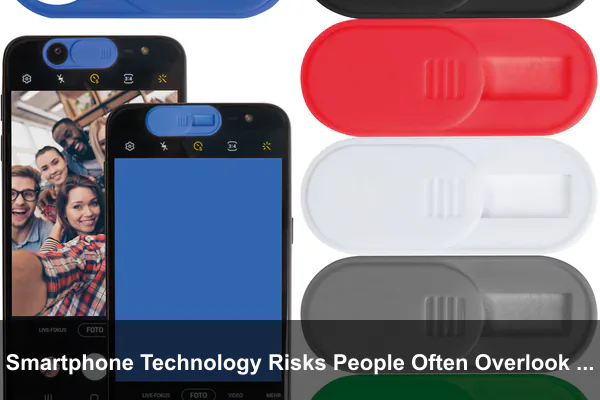
Modern smartphones quietly hold more of your life than any other device you own. They store your photos, messages, payment cards, work files, health metrics, home addresses, and even the rhythms of your daily routines. Because we rely on them constantly, many of the risks linked to smartphone technology feel invisible — they hide inside default settings, casual habits, and apps that seem harmless on the surface.
This guide explores the smartphone risks most people never stop to think about, from background data collection and Bluetooth tracking to the subtle health effects of constant notifications. More importantly, it shows how to reduce those risks without giving up the convenience that makes your phone useful in the first place.
Why Smartphone Risks Are Easy to Miss
Smartphones are designed to be frictionless. You tap, swipe, and approve permissions in seconds, often without reading what you agreed to. That smoothness is exactly what makes risks easy to overlook. A request for location access feels routine, a notification feels urgent, and an unfamiliar Wi-Fi network feels harmless — until something goes wrong.
Convenience Often Hides Trade-Offs
Features like autofill, biometric unlock, and cloud sync save time, but each one creates a small exposure if the device, account, or service is compromised. Convenience is not bad, but it should be paired with awareness of what you are trading away.
Default Settings Favor Engagement, Not Safety
Out of the box, most phones and apps optimize for engagement and personalization. That means location services, ad identifiers, background refresh, and notification access are usually enabled by default. You have to opt out, not opt in.
- Always-on connectivity exposes your device to networks you never deliberately joined.
- Background processes keep sending and receiving data even when the screen is off.
- Implicit trust in app stores can mask poorly reviewed or copycat apps.
Data Privacy Risks Hidden in Apps and Permissions
The single biggest privacy risk on a smartphone is not hacking — it is the sheer volume of legitimate data collection happening through apps you installed yourself. Many apps request more permissions than they need, and once granted, those permissions tend to be forgotten.
The Permissions People Forget to Review
Check any phone that is more than a year old and you will likely find dozens of apps with access to your location, microphone, camera, contacts, or files. Some of those apps have not been opened in months.
- Location: many apps work fine with “While Using” instead of “Always.”
- Microphone and camera: should be granted only to apps that clearly need them.
- Contacts: sharing your address book can expose other people’s data, not just yours.
- Photos: prefer “Selected Photos” rather than full-library access.
- Nearby devices and Bluetooth: often used silently for analytics or ad targeting.
Background Data Collection and Ad Tracking
Even closed apps can collect telemetry, advertising IDs, and device fingerprints. Resetting your advertising identifier, disabling cross-app tracking, and turning off personalized ads in your phone’s privacy menu can meaningfully shrink the profile that brokers build about you.
Security Threats Beyond Stolen Passwords
Most security advice still focuses on passwords, but mobile attacks have moved on. The real threats today are designed to exploit attention and trust, not technical weaknesses.
Phishing, Smishing, and Malicious Links
Text messages claiming to be from couriers, banks, or tax agencies are now one of the most common attack paths. The link looks close to a real domain, the wording feels urgent, and the page that opens is a near-perfect clone of a legitimate login screen.
- Never log in through a link in a text message — open the official app instead.
- Treat “package undeliverable” and “account locked” texts as suspicious by default.
- Be skeptical of QR codes posted in public places; they can redirect to fake sites.
Unsafe Wi-Fi and Outdated Software
Public Wi-Fi is rarely the dramatic threat it used to be, but joining unknown networks still exposes you to captive portals, redirect tricks, and weak encryption. Combine that with an outdated operating system, and small vulnerabilities can stack up quickly. Install security updates within a few days of release, not months later.
Fake Apps and SIM Swapping
Copycat apps imitate popular tools but bundle adware or credential stealers. Check the developer name, review count, and update history before installing. Separately, SIM swapping — where attackers convince a carrier to move your number to a new SIM — can bypass SMS-based two-factor authentication. Ask your carrier for a port-out PIN and prefer app-based or hardware-based 2FA whenever possible.
Location Tracking and Personal Safety Concerns
Location is the most sensitive data your phone produces, because it reveals where you live, work, sleep, and travel. Many features quietly broadcast location even when you think you have turned it off.
Photo Metadata and Live Location Sharing
Photos often carry EXIF metadata with GPS coordinates. Sharing an original-quality image of your home or child’s school can reveal more than you intended. Most messaging apps strip this data, but file transfers, cloud links, and email attachments may not.
Bluetooth Trackers and Background Beacons
Small Bluetooth trackers are genuinely useful for finding keys or luggage, but they can also be misused to follow people. Both Android and iOS now warn you about unknown trackers traveling with you — take those alerts seriously and learn how to scan manually.
- Review which apps have Always location access and downgrade where possible.
- Turn off location history if you do not actively use timeline features.
- Be deliberate about live location sharing — set a time limit when you enable it.
Financial and Identity Risks on Mobile Devices
Your phone is now a wallet, an ID, and a key. That concentration of value makes mobile financial security worth a deeper look than most people give it.
Digital Wallets, Autofill, and Saved Cards
Tokenized payments through Apple Pay, Google Wallet, or Samsung Wallet are generally safer than swiping a physical card, because merchants never see the real card number. But saved cards in browsers and shopping apps are a different story — if someone unlocks your phone, autofill can complete purchases without much friction.
One-Time Codes and Account Recovery
One-time codes sent by SMS are better than nothing, but they are vulnerable to SIM swaps and phishing relays. An authenticator app or, better, a passkey tied to your device’s biometrics offers stronger protection. Equally important: review the recovery email, phone number, and trusted contacts on your most important accounts at least once a year.
- Use a long alphanumeric passcode, not just a four-digit PIN.
- Enable a SIM PIN so a thief cannot move your number to another phone.
- Set spending or transfer limits in banking apps where possible.
- Disable lock-screen previews for messages containing verification codes.
Health and Attention Risks From Constant Smartphone Use
Not every smartphone risk involves data. Some are physical and psychological, accumulating quietly over years of heavy use.
Sleep, Eyes, and Posture
Late-night scrolling delays melatonin release and fragments sleep, while small text and close viewing distance contribute to eye fatigue and “tech neck.” Built-in features can help: schedule night-shift or warm color modes after sunset, increase default text size, and enable screen-distance warnings if your device supports them.
Notifications and Compulsive Checking
Constant interruptions tax working memory and make it harder to focus. The fix is not to abandon notifications, but to be selective about which apps earn the right to interrupt you.
- Allow notifications only from people and apps that require real-time attention.
- Group non-urgent alerts into a scheduled summary delivered twice a day.
- Use focus modes during work, sleep, and meals — not just “do not disturb.”
- Move dopamine-heavy apps off your home screen and into folders.
Risks From Children, Teens, and Shared Device Use
Phones are often used by more than one person — a child borrowing a parent’s device, a teen with their first smartphone, or a family tablet that doubles as a remote control. Each of these scenarios creates risks that adult-focused security advice rarely addresses.
Content, Contacts, and In-App Purchases
Family safety features on Android and iOS now allow age-appropriate content filters, screen time limits, and approval requests for downloads and purchases. Setting these up before handing over a device is far easier than retrofitting them later.
Oversharing and Digital Footprints
Teenagers in particular may share location, photos, or personal details without understanding how durable that information is. Conversations about privacy work better than blanket bans — explain why disabling precise location in social apps matters, and model the behavior yourself.
How to Reduce Smartphone Risks Without Losing Convenience
You do not have to choose between safety and usability. A small set of habits, done consistently, neutralizes the majority of common risks while keeping your phone fast and pleasant to use.
A Practical Monthly Checklist
- Install updates for the operating system and major apps within a week of release.
- Audit app permissions, especially location, microphone, camera, and contacts.
- Remove unused apps — fewer apps means fewer permissions and less background activity.
- Review login activity on your email, cloud, and banking accounts.
- Confirm backups are running and that you can actually restore from them.
- Check two-factor settings and migrate critical accounts from SMS to authenticator apps or passkeys.
- Reset your advertising ID and disable cross-app tracking.
Settings Worth Turning On Today
- Strong device passcode plus biometric unlock.
- Find-my-device features with remote lock and erase.
- Automatic OS updates and Play Protect or App Privacy Report.
- Lockdown or restricted mode if you are a high-risk user.
- Encrypted DNS or a reputable VPN on untrusted networks.
When to Replace, Reset, or Professionally Check a Smartphone
Even with strong habits, devices age and sometimes misbehave. Knowing the warning signs helps you respond before a small issue becomes a serious incident.
Signs Something Is Wrong
- Sudden, unexplained battery drain or overheating when idle.
- Unknown apps appearing on the home screen or in settings.
- Pop-ups, redirects, or browser changes you did not make.
- Outgoing texts or calls you did not send.
- Two-factor codes arriving for logins you did not attempt.
Reset, Replace, or Get Help
If you suspect a serious compromise, change passwords from a different trusted device first, then back up only your media and documents — not apps — and perform a factory reset. For devices that no longer receive security updates, replacement is the safer long-term answer. When preparing a phone for resale or donation, sign out of all accounts, remove the SIM and storage cards, perform a full factory reset, and verify the device shows the initial setup screen before handing it over.
Conclusion
The biggest smartphone risks are rarely dramatic. They build up through default settings left untouched, permissions granted in a hurry, links tapped without thinking, and notifications that nibble at attention day after day. The good news is that the countermeasures are equally undramatic: small, repeatable habits that take minutes per month.
Treat your phone the way you would treat a wallet, a diary, and a front-door key combined — because that is exactly what it has become. Review what it shares, who it talks to, and how it interrupts you. Do that consistently, and you can keep the convenience that makes smartphone technology so valuable while quietly closing the doors that most people leave wide open.
