
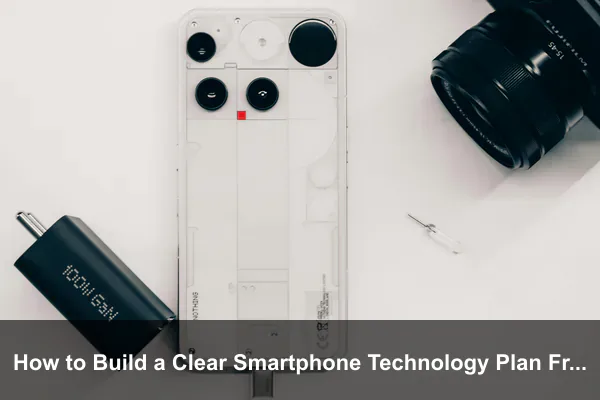
Buying a smartphone today is rarely a single decision. It is a chain of decisions about hardware, software, security, accessories, connectivity, and how long you want the device to last. Without a plan, it is easy to overspend on features you will never use, ignore essentials like backup and security, or upgrade too early because a flashy launch event made last year’s phone feel slow. A clear smartphone technology plan changes that by turning impulse into structure.
Building such a plan from scratch is not complicated, but it does require honesty about how you actually use your phone. The goal is not to chase the most premium specifications. It is to align every choice, from chipset to charging brick, with the way you live and work. This guide walks through each layer of that plan so you can make confident, durable decisions instead of repeating the same upgrade cycle every year.
By the end, you will have a repeatable framework you can apply to your next purchase, your current device, or even the phones you recommend to family members who keep asking which model to buy.
Define What You Need Your Smartphone to Do
Every solid plan starts with use cases, not products. Before reading a single review or comparing two flagships, write down what you genuinely do with your phone in a typical week. The clearer this list is, the easier every later decision becomes.
List Your Daily Use Cases
Try to be specific. Vague answers like “I use it for everything” push you toward overbuying. Instead, think in concrete activities:
- Messaging, calls, and video conferencing for work or family
- Mobile photography, short-form video, or vlogging
- Gaming, including the genres and graphics settings you prefer
- Navigation, ride-sharing, and travel apps
- Mobile banking, tap-to-pay, and digital wallets
- Streaming music or video during commutes
- Reading, note-taking, or content creation on the go
Rank Priorities Honestly
Once the list exists, sort it. The top three items deserve the most weight when comparing devices. If photography ranks first, camera sensor quality and computational photography matter more than refresh rate. If you mostly read and message, a midrange chip with a long-lasting battery beats a gaming-tier processor that drains by lunchtime.
Identify Deal Breakers
Deal breakers are features whose absence would make you regret the purchase. Common examples include water resistance, wireless charging, a headphone jack, expandable storage, dual SIM support, or a specific biometric method. List them upfront so you can filter candidates quickly.
Set a Realistic Budget and Upgrade Timeline
A smartphone is not just the sticker price. The true cost spreads across service fees, accessories, repairs, and the resale value you lose over time. Your plan should account for all of it.
Calculate Total Cost of Ownership
Estimate the following for at least three years of ownership:
- Device price after taxes, trade-in credits, or carrier discounts.
- Monthly service fees for data, calling, and any cloud storage tier you will need.
- Accessory cost, including a case, screen protector, charger, and earbuds.
- Repair likelihood, especially battery replacement or screen damage.
- Resale or trade-in value at the end of the cycle.
Pick an Upgrade Cadence That Fits
Some users thrive on a two-year cycle because they want the latest cameras and chips. Others stretch devices to four or five years, prioritizing software longevity over novelty. Decide which group you belong to before shopping, because the answer changes which brands and models make sense. Manufacturers that promise seven years of security patches reward long holders, while frequent upgraders gain less from that benefit.
Decide on Financing Versus Outright Purchase
Carrier financing can look attractive, but it often locks you into a plan or limits trade-in flexibility. Buying outright preserves freedom and usually costs less over time if you avoid interest charges. Match this choice to your cash flow and how stable your carrier preference is.
Choose the Right Core Smartphone Features
With priorities and budget set, you can finally evaluate hardware. Approach each spec as a tool that either supports or wastes your plan rather than a number to maximize.
Processor and Memory
The chipset shapes performance, battery efficiency, and longevity. Flagship chips matter most for gaming, multitasking with heavy apps, and on-device AI features like generative photo editing or live translation. For browsing, messaging, and social media, a current-generation midrange processor handles years of use comfortably. Pair it with at least 8 GB of RAM if you keep many apps open or use split-screen multitasking; 12 GB makes sense for power users and content creators.
Storage Capacity and Speed
Choose storage based on how much media you keep locally. Cloud-first users can live with 128 GB, while photographers, gamers, and offline-video viewers should plan for 256 GB or more. Storage speed matters as much as size. Faster internal flash improves app launches, photo saves, and large-file transfers, so check the storage standard before assuming all 256 GB tiers feel the same.
Battery, Charging, and Thermal Design
Battery capacity numbers tell only part of the story. Pair them with the chipset’s efficiency and the display’s behavior. Fast wired charging is convenient for travelers, but daily users may benefit more from a phone that charges gently overnight to preserve long-term battery health. If you game or shoot extended video, prioritize devices with vapor-chamber cooling so sustained performance does not collapse after ten minutes.
Display Quality
Match the screen to your habits. High refresh rates feel smoother in scrolling and gaming but consume more power. HDR support and accurate color benefit photo editors and video watchers. If you are sensitive to flicker, look for high-frequency PWM dimming or DC dimming options.
Camera System
Do not chase megapixel counts. Look at sensor size, optical image stabilization, low-light processing, and the focal lengths offered by secondary lenses. A capable main sensor paired with a useful telephoto often beats a phone with four mediocre cameras crammed onto the back.
Durability
Choose a rating that matches your environment. IP68 protection, reinforced glass, and aluminum or titanium frames matter for travelers and outdoor users. Office-bound users may prioritize repairability scores instead, since easier battery replacement extends usable life.
Plan Your Software and App Ecosystem
Hardware is only half the equation. The software layer determines how your phone evolves over the years and how well it connects with everything else you own.
Pick an Operating System Intentionally
Android and iOS both offer strong experiences, but they reward different habits. iOS shines in tight ecosystem integration, long update cycles, and consistency across apps. Android delivers more hardware variety, deeper customization, and flexible file management. Within Android, manufacturer skins differ greatly, so test the interface before committing.
Check Update Commitments
A modern smartphone should receive several years of operating system upgrades and security patches. Verify the manufacturer’s stated policy and their track record of honoring it. Long support extends resale value and reduces security risk.
Map Your Cloud and Backup Strategy
Decide where your photos, documents, and messages live. Common options include the OS-native cloud, a third-party service, or a hybrid setup with a home NAS. Configure automatic backups for:
- Photos and videos
- Contacts and calendar entries
- Messaging app histories
- Authentication app codes or passkeys
- Notes and password vaults
Inventory Essential Apps
List the apps you cannot live without and confirm they exist on your chosen platform with feature parity. This step protects you from surprises after switching, especially for banking, transit, and workplace apps that sometimes lag on one platform.
Build Security and Privacy Into the Plan
Security should never be an afterthought you bolt on after setup. Bake it into your plan so it becomes invisible during daily use.
Lock Screen and Biometrics
Use a strong alphanumeric passcode rather than a four-digit PIN. Enable fingerprint or face authentication for convenience, but understand the trade-offs of each method in your environment. Configure automatic locking and screen timeout to short intervals.
Authentication and Identity
Move every important account to two-factor authentication, preferably through an authenticator app or hardware key rather than SMS. Where supported, adopt passkeys so phishing attacks become structurally impossible against those logins.
App Permissions and Tracking Controls
Audit permissions on a fixed schedule, perhaps quarterly. Revoke location, microphone, contacts, and photo access from apps that do not justify the access. Turn on tracking transparency controls and limit advertising identifiers.
Lost-Device Recovery
Enable the manufacturer’s find-my-device service before you need it. Verify that remote lock and wipe work, and keep a recent backup so a lost phone does not become a lost life. Store recovery codes somewhere outside the device itself.
Evaluate Connectivity and Carrier Needs
The best phone in the world is useless without a connection that matches how you move through the world.
Cellular Bands and 5G Coverage
Verify that the model you want supports the bands your carrier uses, particularly for 5G. International travelers should confirm sub-6 GHz band coverage across the regions they visit. If your carrier deploys standalone 5G, look for phones that support VoNR for better call quality.
Wi-Fi and Bluetooth Standards
Newer Wi-Fi standards reduce congestion in crowded networks and improve battery efficiency during long sessions. Bluetooth version and codec support matter for wireless audio quality, particularly if you own high-end earbuds that depend on LDAC or aptX Adaptive.
SIM Strategy
Decide between physical SIM, eSIM, or a dual-SIM setup. eSIM simplifies international travel and lets you carry multiple plans without juggling trays. A dedicated work line on a second SIM keeps personal numbers private and helps with tax records.
Hotspot and Tethering
If you work remotely, test how the phone behaves as a hotspot. Some carriers cap tethering speeds, and some phones throttle hotspot performance to manage heat.
Pick Accessories That Support the Plan
Accessories should reinforce your priorities, not distract from them. Buy fewer items, but choose them with intent.
Protection First
- A case that matches your environment, with raised camera bezels and corner reinforcement
- A tempered glass or hybrid screen protector compatible with your biometric sensor
- A skin or wrap if you prefer thinner protection with better grip
Power and Charging
Pick a wall charger that supports the protocols your phone negotiates, such as USB Power Delivery with PPS. A reliable cable, a compact travel adapter, and a power bank sized for your longest trip cover most scenarios.
Audio and Productivity
Choose earbuds with the codecs your phone supports natively. Add a car mount, a folding stand, or a Bluetooth keyboard if your use cases include navigation or mobile writing. Avoid stacking accessories you will not use weekly.
Create a Simple Maintenance Routine
A plan that ends at purchase rarely stays effective. Build small habits that keep the phone running like new long after the unboxing excitement fades.
Monthly Checkups
- Install pending operating system and app updates
- Review storage and clear caches or unused downloads
- Check battery health metrics if your phone exposes them
- Verify that automatic backups completed successfully
Quarterly Deep Audits
Every three months, run a more thorough review. Remove apps you have not opened, recheck permissions, rotate critical passwords, and confirm your emergency contacts and medical ID are current. Wipe the charging port gently and inspect the case for cracks that could compromise water resistance.
Annual Reset and Reassessment
Once a year, consider a full reset and clean restore if performance has degraded. Compare your original plan against actual usage. Did photography become more important than expected? Did you abandon gaming? Use the answers to refine next year’s decisions.
Review and Adjust the Plan Over Time
Smartphone technology evolves quickly, and your life changes even faster. A static plan becomes outdated within a year or two, so build a habit of revisiting it.
Track Triggers That Demand a Refresh
Update the plan when any of the following occur:
- Your job introduces new tools or compliance requirements
- You move to a region with different carrier coverage
- A meaningful new technology, such as a new connectivity standard, becomes mainstream
- Your current phone stops receiving security updates
- Battery health drops below a threshold that disrupts daily use
Resist Hype-Driven Upgrades
Major launches are designed to feel essential. Filter announcements through your written priorities. If a new feature does not serve a top-three use case, it is interesting but not urgent. This discipline saves money and reduces e-waste.
Document Lessons Learned
Keep a short note after each upgrade describing what worked, what disappointed you, and what you would do differently. Over two or three cycles, you build a personal knowledge base that beats any review site for your specific needs.
Conclusion
A smartphone technology plan built from scratch is less about specifications and more about self-knowledge. When you understand your daily use cases, set an honest budget, choose hardware that supports real priorities, secure your data deliberately, and maintain the device with light routines, every later decision becomes simpler. You stop reacting to launches and start choosing technology that fits your life.
Start small. Write the use cases this week, draft a budget next week, and audit your current phone’s security before the month ends. By the time you are ready to buy your next device, the plan will already be in place, and the upgrade will feel like a confirmation rather than a gamble.
