
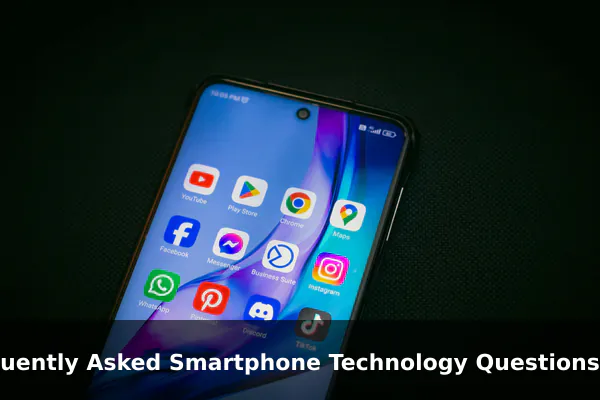
Smartphone technology evolves at a relentless pace, and even people who use their devices every day often find themselves stumped by the jargon, the trade-offs, and the puzzling behavior of modern handsets. Why does a brand-new phone feel slow after a year? Does a higher megapixel count actually mean better photos? Is fast charging safe? What is the real difference between 5G and Wi-Fi 7? Questions like these come up constantly, but the answers are scattered across spec sheets, marketing pages, and conflicting forum threads.
This FAQ-style guide pulls the most frequently asked smartphone technology questions into one place and answers them in plain English. Whether you are shopping for a new device, troubleshooting an old one, or simply trying to understand what is happening inside the rectangle in your pocket, the explanations below will help you make smarter decisions and use your phone with more confidence.
The goal is not to push you toward any specific brand or price point. Instead, you will learn how the major pieces of smartphone hardware and software fit together, which specifications truly affect daily use, and which habits will protect your investment for years to come.
How Do Smartphones Actually Work?
A modern smartphone is essentially a tiny, power-efficient computer with a radio attached. Despite the slim profile, it packs together more than a dozen specialized components that must cooperate dozens of times per second to deliver a smooth experience.
The Core Components Inside Every Phone
- System-on-Chip (SoC): Combines the CPU, GPU, image signal processor, AI accelerator, and modem onto a single piece of silicon. This is the brain of the device.
- RAM: Short-term working memory that holds open apps and active data so the processor can reach them instantly.
- Storage: Long-term flash memory (UFS or NVMe) that keeps your apps, photos, videos, and operating system even when the phone is powered off.
- Display: An LCD or OLED panel that not only shows the picture but also acts as the main input surface through capacitive touch sensing.
- Battery: A lithium-ion or lithium-polymer cell that supplies power to every component.
- Cameras: One or more lens-and-sensor modules paired with software that turns raw light into finished images and videos.
- Sensors: Accelerometer, gyroscope, magnetometer, ambient light, proximity, barometer, and sometimes lidar or depth sensors enable orientation, navigation, and contextual features.
- Modem and antennas: Handle cellular, Wi-Fi, Bluetooth, NFC, GNSS, and sometimes ultra-wideband or satellite signals.
The Software Layer
Hardware alone cannot do much without an operating system. Android and iOS coordinate the components, manage power, enforce permissions, and provide the interfaces that apps use. The quality of this software layer is often the difference between a phone that feels fast for years and one that feels sluggish after a few months.
What Specs Matter Most When Buying a Smartphone?
Marketing materials love to highlight large numbers, but only a handful of specifications meaningfully affect daily use. Focus on the following before paying attention to anything else.
Specs That Truly Move the Needle
- Chipset tier: A current-generation flagship or upper mid-range SoC ensures responsive performance, modern connectivity, and efficient power use. Generation matters more than raw clock speed.
- RAM amount: 8 GB is comfortable for most users in 2026, while 12 GB or more benefits heavy multitaskers and on-device AI features.
- Storage capacity and type: 256 GB has become the practical minimum for many buyers. Faster storage standards like UFS 4.0 reduce app load and file transfer times.
- Display quality: Resolution, peak brightness, refresh rate, and color accuracy all affect how comfortable the phone is in real conditions.
- Battery capacity and charging: Larger batteries and efficient chipsets matter more than raw watt counts on the charger.
- Camera hardware paired with software: Larger sensors, optical stabilization, and a mature image pipeline typically beat a phone that simply lists more lenses.
- Update commitment: The number of years of OS upgrades and security patches directly determines how long the phone remains safe and useful.
Specs That Sound Impressive but Often Don’t Matter
- Headline megapixel counts above 50 MP without a large sensor behind them.
- Refresh rates higher than 120 Hz on small phones, where the practical difference is hard to notice.
- Charging wattages above what your batteries and routine can safely use day to day.
- Benchmark scores that have no bearing on the apps you actually run.
Why Does a Smartphone Slow Down Over Time?
Almost every long-term smartphone owner notices a gradual decline in responsiveness. The slowdown is real, but it rarely comes from a single cause. Understanding the contributing factors makes it easier to fix or at least slow the trend.
Common Causes of Sluggish Performance
- Nearly full storage: When less than 10 to 15 percent of internal storage remains free, the file system slows down because it cannot allocate space efficiently.
- Battery aging: As lithium cells lose capacity, peak voltage drops. Some phones throttle the processor to prevent unexpected shutdowns on a weakened battery.
- Background apps and services: Notifications, syncing, and location requests consume CPU cycles and memory even when you are not using an app.
- Heavier software: New operating system versions and updated apps often demand more resources than the phone shipped with.
- Thermal limits: Once internal temperatures climb, the chip throttles performance to protect itself.
- Accumulated cache and clutter: Old logs, leftover files, and orphaned data create overhead the system must continually sort through.
How to Restore Some Speed
Clear unused apps, move large media to the cloud or a computer, disable auto-start for apps you rarely open, and keep your system patched. If the battery health has dropped below roughly 80 percent, a battery replacement is often the single most effective upgrade you can give a two- or three-year-old phone.
How Can You Make a Phone Battery Last Longer?
Battery questions are among the most common, and the answers are often counterintuitive. Lithium-ion cells age based on chemistry, not just hours of use, so habits matter as much as hardware.
Daily Habits That Extend Battery Life
- Keep the state of charge between roughly 20 and 80 percent whenever possible. Deep discharges and constant 100 percent charges accelerate wear.
- Use adaptive or optimized charging features that learn your routine and delay topping off until just before you wake.
- Avoid charging in hot environments. Heat is the single biggest enemy of lithium cells.
- Lower screen brightness, use auto-brightness, and reduce refresh rate when you do not need it.
- Limit always-on display, vibration intensity, and location accuracy for apps that do not require precise positioning.
- Use Wi-Fi instead of cellular data when available, as Wi-Fi radios usually consume less power.
Charging Speed and Safety
Modern fast charging protocols such as USB Power Delivery and PPS negotiate voltage and current so the phone receives only what it can safely handle. Using a reputable charger and cable matters more than chasing the highest wattage. Wireless charging is convenient but generates more heat, so reserve it for slower top-ups rather than rapid recharges.
What Makes a Smartphone Camera Good?
The phrase “a good camera phone” hides a lot of complexity. Hardware, software, and processing pipelines all contribute to the final image, and a small change in any of them can transform results.
The Hardware Side
- Sensor size: A larger sensor captures more light per pixel, which improves dynamic range and low-light performance.
- Lens aperture and quality: Wider apertures let in more light, while well-corrected lens elements reduce flare and distortion.
- Optical image stabilization: A physical mechanism that compensates for hand movement, allowing slower shutter speeds without blur.
- Optical zoom: A dedicated telephoto module produces sharper results than digital zoom from the main sensor.
The Software Side
Computational photography is what separates today’s smartphone cameras from compact cameras of a decade ago. Multi-frame stacking, machine-learning noise reduction, semantic segmentation for skin and skies, and HDR fusion all run in milliseconds after you tap the shutter. Two phones with identical sensors can produce drastically different photos depending on the maturity of the image processing pipeline.
What to Look for in Real Reviews
- Side-by-side comparisons in mixed lighting, not just bright daylight.
- Video stabilization tests while walking or moving.
- Skin tones and white balance across different subjects.
- Zoom quality at the specific focal lengths you use most.
How Much Storage and RAM Do You Need?
Storage and RAM are the two specifications most likely to influence whether your phone still feels capable three or four years from now. Choosing too little is a frustrating mistake, while overspending wastes money that could go toward a better display or camera.
Picking the Right Storage
- 128 GB: Only suitable for light users who rely heavily on cloud storage and do not record much video.
- 256 GB: A balanced sweet spot for most people who keep a moderate library of apps, photos, and offline media.
- 512 GB and above: Recommended for mobile photographers, videographers, gamers with large titles, and anyone who shoots 4K or higher.
Picking the Right RAM
RAM determines how many apps stay loaded in the background and how quickly the system can return to them. On Android, 8 GB handles typical multitasking well, while 12 or 16 GB benefits power users and on-device AI workloads. iPhones generally need less RAM to deliver similar smoothness because of tighter integration between hardware and software.
What Is the Difference Between 4G, 5G, Wi-Fi, Bluetooth, and NFC?
These radios all move data wirelessly, but they exist for different distances, speeds, and use cases. Understanding their roles makes troubleshooting connectivity issues much easier.
Cellular: 4G LTE and 5G
4G LTE remains the workhorse of mobile internet in many regions and continues to offer reliable speeds for browsing, streaming, and video calls. 5G adds higher peak speeds, lower latency, and greater capacity in busy areas. Sub-6 GHz 5G provides broad coverage with modest improvements over LTE, while millimeter wave delivers extreme speeds over very short distances.
Wi-Fi
Wi-Fi connects your phone to a local router for internet access at home, work, or public hotspots. Newer standards such as Wi-Fi 6E and Wi-Fi 7 offer faster throughput and less interference, but they require a compatible router to deliver the benefits.
Bluetooth
Bluetooth is a short-range protocol for accessories like headphones, watches, keyboards, and fitness trackers. Modern Bluetooth versions improve audio quality, range, and multi-device connections.
NFC
Near-field communication operates at distances of a few centimeters and is mainly used for tap-to-pay, transit cards, and quick pairing with accessories. It is intentionally short range for security reasons.
Are Smartphone Software Updates Important?
Software updates affect security, features, app compatibility, and the long-term resale value of your phone. Treating them as optional is one of the most expensive mistakes a smartphone owner can make.
Types of Updates
- Security patches: Address vulnerabilities that attackers can exploit. These are the most critical to install promptly.
- Operating system upgrades: Bring new features, refined interfaces, and improved performance.
- App updates: Add capabilities, fix bugs, and adapt apps to new OS requirements.
- Firmware updates: Improve modem stability, camera tuning, and battery management at a lower level than the OS.
Why Update Length Matters
A phone promised seven years of updates remains safe and compatible long after a phone with only two years of updates becomes a liability. Longer support also boosts resale value because buyers can trust that the device will continue to receive security patches.
How Can You Keep a Smartphone Secure?
Security is no longer optional. Phones store banking apps, identity documents, work data, medical information, and the keys to nearly every online account. Protecting them is a daily discipline, not a one-time setup task.
Essential Security Habits
- Use a strong passcode of at least six digits, ideally alphanumeric, alongside biometric unlock.
- Enable two-factor authentication on every account that supports it, preferably with passkeys or an authenticator app.
- Review app permissions regularly and revoke anything that does not match the app’s purpose.
- Install apps only from official stores and check developer reputation before granting sensitive permissions.
- Be cautious with unknown links in messages, emails, and ads, especially those requesting urgent action.
- Use a trusted VPN or private DNS on unfamiliar Wi-Fi networks.
- Keep find-my-device features enabled and know how to remotely lock or wipe the phone.
Recognizing Common Threats
Most smartphone compromises start with social engineering rather than sophisticated exploits. Phishing texts, fake login pages, and convincing voice messages all rely on tricking the user. Slowing down and verifying through a separate channel defeats most attacks before they begin.
What Should You Do Before Replacing or Recycling a Phone?
Selling, trading, or recycling a phone without preparation can leak personal data or leave money on the table. A short checklist prevents both outcomes.
The Pre-Replacement Checklist
- Back up photos, videos, contacts, messages, and app data to a cloud service or computer.
- Transfer two-factor authentication seeds to your new device or recovery options to avoid account lockouts.
- Sign out of accounts such as iCloud, Google, Samsung, Xiaomi, banking apps, and password managers.
- Disable activation locks and find-my-device features tied to the outgoing device.
- Remove the SIM card, eSIM profile, and any microSD card.
- Perform a full factory reset and, on Android, encrypt the device first if it is not already encrypted by default.
- Compare trade-in offers from manufacturers, carriers, and reputable resellers to find the best value.
- Use a certified recycling program if the phone is beyond repair, since lithium batteries should never go in regular trash.
Conclusion
Smartphone technology can feel overwhelming because it combines so many disciplines: silicon engineering, optics, radio physics, software design, and security. The good news is that you do not need to master every layer to use your phone wisely. A handful of clear answers covers most of what shoppers and everyday users actually need to know.
Remember the priorities that consistently matter: a current-generation chipset, enough RAM and storage to last several years, a display you enjoy looking at, batteries treated kindly with moderate charging habits, cameras evaluated by real photos rather than spec lists, and updates installed promptly. Pair those choices with sensible security habits and a tidy backup routine, and your phone will serve you reliably long after the next wave of marketing buzzwords arrives.
Keep this FAQ handy the next time a friend asks why their battery drains so fast, whether they should pay extra for 5G, or how to safely hand down an old device. Sharing clear answers is one of the easiest ways to help the people around you get more value from the powerful little computers they carry every day.
